An open lakehouse you actually own.
Hi all,
Knowledge about Apache Iceberg is not spreading as easily as it should. Before you can start, you need quite a few components: a catalog, object storage, identity, an engine and a place to work. Vendors make that part easy, and that is usually where vendor lock-in starts.
So I built a small platform that shows the other route: every building block open source, running on one laptop with a single command. As far as I'm concerned, Iceberg is a very good choice for autonomy and portability, not only for scale.
Read morehttps://medium.com/@sanderdw/making-apache-iceberg-feel-like-a-database-service-e89c5d0bed98
https://www.linkedin.com/posts/sanderdw_at-alliander-we-want-to-take-data-sharing-ugcPost-7505007789820256256-eoeA/
- How Iceberg actually works, and why it is not a platform like Snowflake.
- What a fully open source stack gives us: autonomy, portability and no lock-in.
- A demo of teams, databases, notebooks, data sharing and AI agents on one identity.
Five principles behind every choice
These principles decide the trade-offs. When a feature does not fit them, it does not go in.
One command, and the platform runs
$ curl -fsSL https://github.com/sanderdw/iceberg-data-platform/releases/latest/download/install.sh | shDownloading release v0.5.2...
Pulling images for both stacks (the notebook image may take a few minutes)...
Starting the user portal...
Iceberg Data Platform 0.5.2 is running.
1. Sign in to the administration portal
http://localhost:3000/#guide
Username platform-admin
Password •••••••••••• (temporary: you choose a new one)
2. Create a team and a user, then sign in as that user
http://localhost:3002/#guide
Or skip the setup: the demo-company skill below does it
Optional
Skills for coding agents such as Claude Code, Codex and GitHub Copilot:
quick-share Share the portals for a class or demo
demo-company Create a demo company, one account per participant- Linux, macOS and Windows. Only Docker with Compose is needed: no source checkout, Python or Node.js.
- The installer verifies the bundle and writes random credentials to
.env. It ends with who signs in first, and where. - It pulls pinned images and starts both stacks.
- It puts
iceberg_connect.pyfor your own tools and the agent skills in the same folder. - To update, run it again.
.envand the data stay.
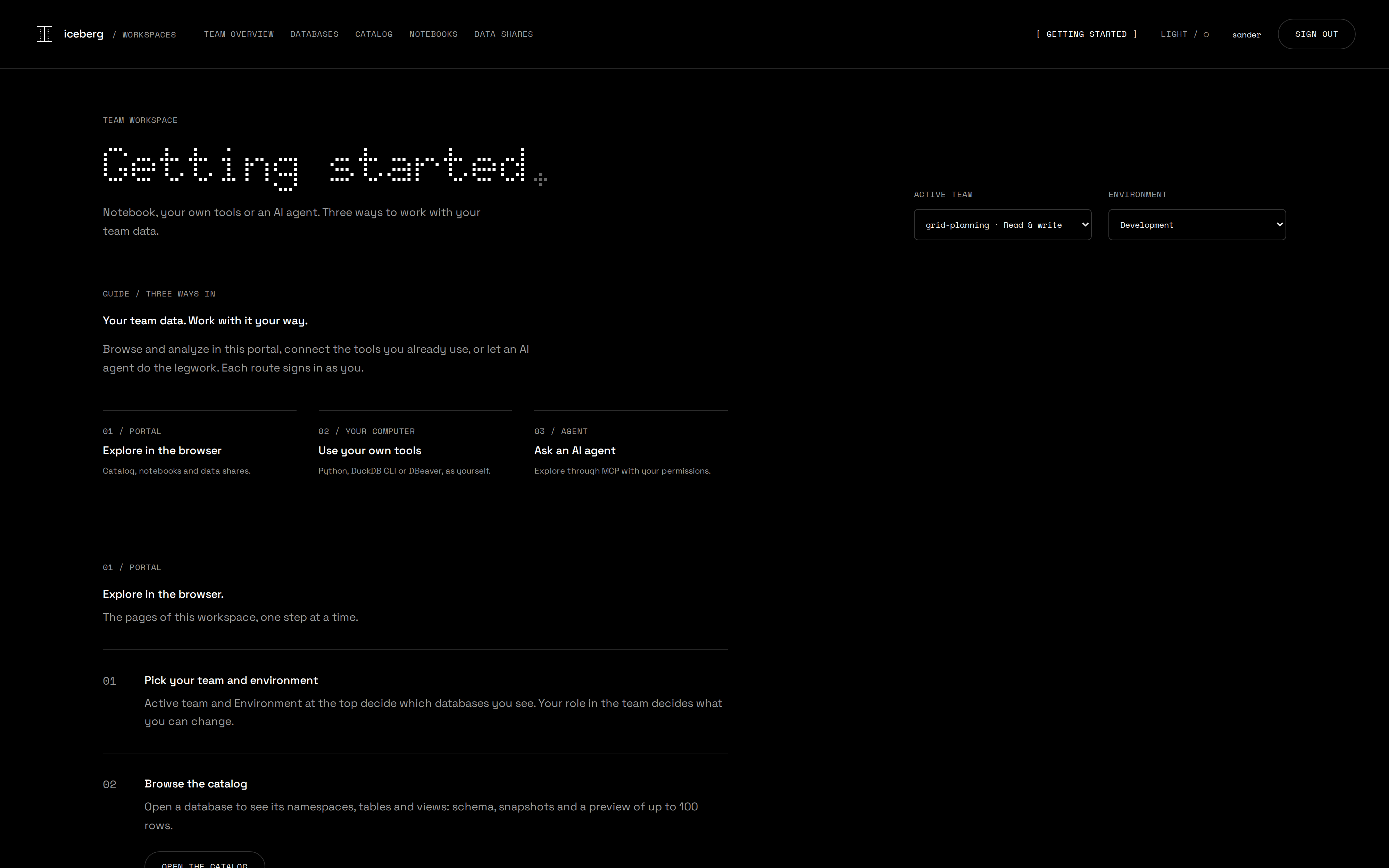
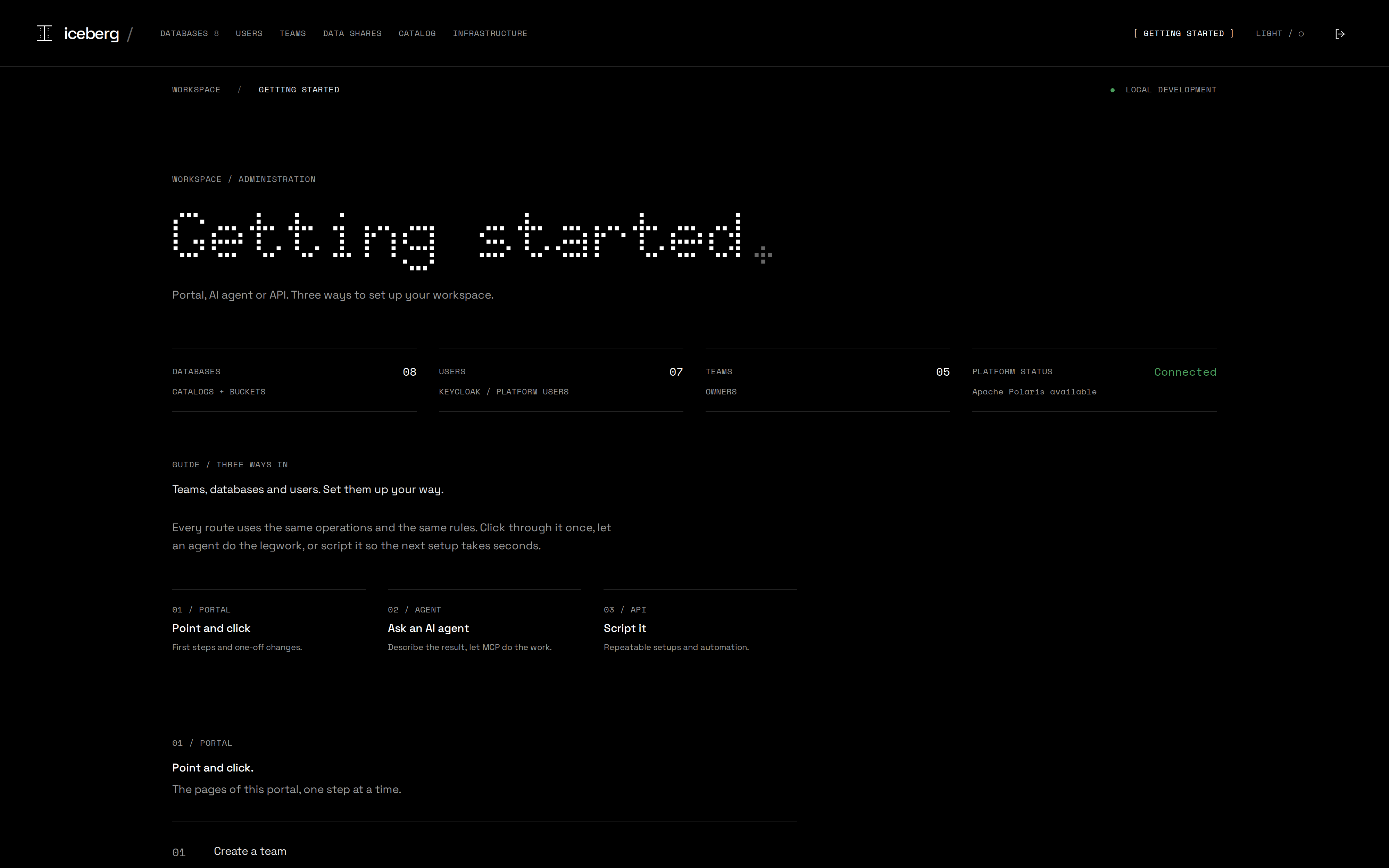
Each portal explains its three ways in
Connect the agent you already use
[mcp_servers.iceberg-user]
url = "http://localhost:3002/mcp"
scopes = ["openid", "profile", "offline_access"]

[mcp_servers.iceberg-user.oauth]
client_id = "iceberg-mcp"claude mcp add --transport http --client-id iceberg-mcp \
--callback-port 3010 iceberg-user http://localhost:3002/mcpCodex, GitHub Copilot, Claude Code or any other MCP client. One URL and one public client ID, no secret.
The agent opens Keycloak in your browser. From then on it works as you, with your grants.
“Which tables in smart-meter-readings changed this week, and what do their schemas look like?”
The portals print these recipes with your own address, for both the user and the administration endpoint.
Skills turn one sentence into a finished setup
> Set up a demo company for my class

  How many participants?   12
  Which company?           Energy · Voltara Energy

  Plan · 3 teams of 4 · 1 team admin and 3 writers each
  create_team      grid-planning, …          3
  create_database  production, development   6
  create_user      one per participant       12

  # Voltara Energy demo accounts: 12 participants
  | # | Username    | Team            | Role  | Temporary password |
  | 1 | noor-bakker | grid-planning   | admin | ••••••••••••       |
| … | | | | |A fictional Energy, Webshop or Retail company for a class of up to 48. One account per participant, teams with their own databases, and a sign-in list to hand out. All through the administration MCP server.
Opens the portals to participants anywhere for a class or demo, over temporary public HTTPS addresses. No app to install, no certificate to import, and it knows how to undo it.
In .agents/skills of the installation folder, in the open Agent Skills format. Start your agent there and ask.
A skill carries the know-how, MCP does the work with your permissions, through the same API as the portal.
Apache Iceberg is doing for data what open APIs did for applications.
How Apache Iceberg works
And why it is not a database platform like Snowflake.
Iceberg is a specification, not a product you buy
- One vendor delivers storage, compute, catalog, security and the UI as a single product.
- Your tables live in the vendor's format and in the vendor's account.
- You rent the capability, so leaving means migrating the data and everything built around it.
- An open specification for how table data and metadata are laid out in object storage.
- Data files are plain Parquet and metadata is JSON and Avro, so no server owns them.
- You bring the catalog, the engines, the storage and the identity provider, and each one stays replaceable.
The point of the comparison is ownership: which parts of the stack you control yourself, and which parts you rent.
Start with what you already know: PostgreSQL
Imagine a simple table: columns, rows and SQL queries.
| Who does the job? | A regular PostgreSQL table | An Iceberg table in this platform |
|---|---|---|
| Run your SQL | The PostgreSQL server. | An engine such as DuckDB or Spark. |
| Find the table and check access | PostgreSQL's system catalogs and permissions. | Polaris: the table's name, permissions and current metadata location. |
| Describe the columns | PostgreSQL's system catalogs. | An Iceberg metadata file in object storage. |
| Store the rows | Files managed and read by PostgreSQL. | Parquet files in a bucket, read directly by the engine. |
PostgreSQL brings these jobs together. With Iceberg, you choose the components separately.
From a table name to its rows
The engine follows a chain of references. Each step answers one question.
A bucket can also contain old or unused files. The references define the table.
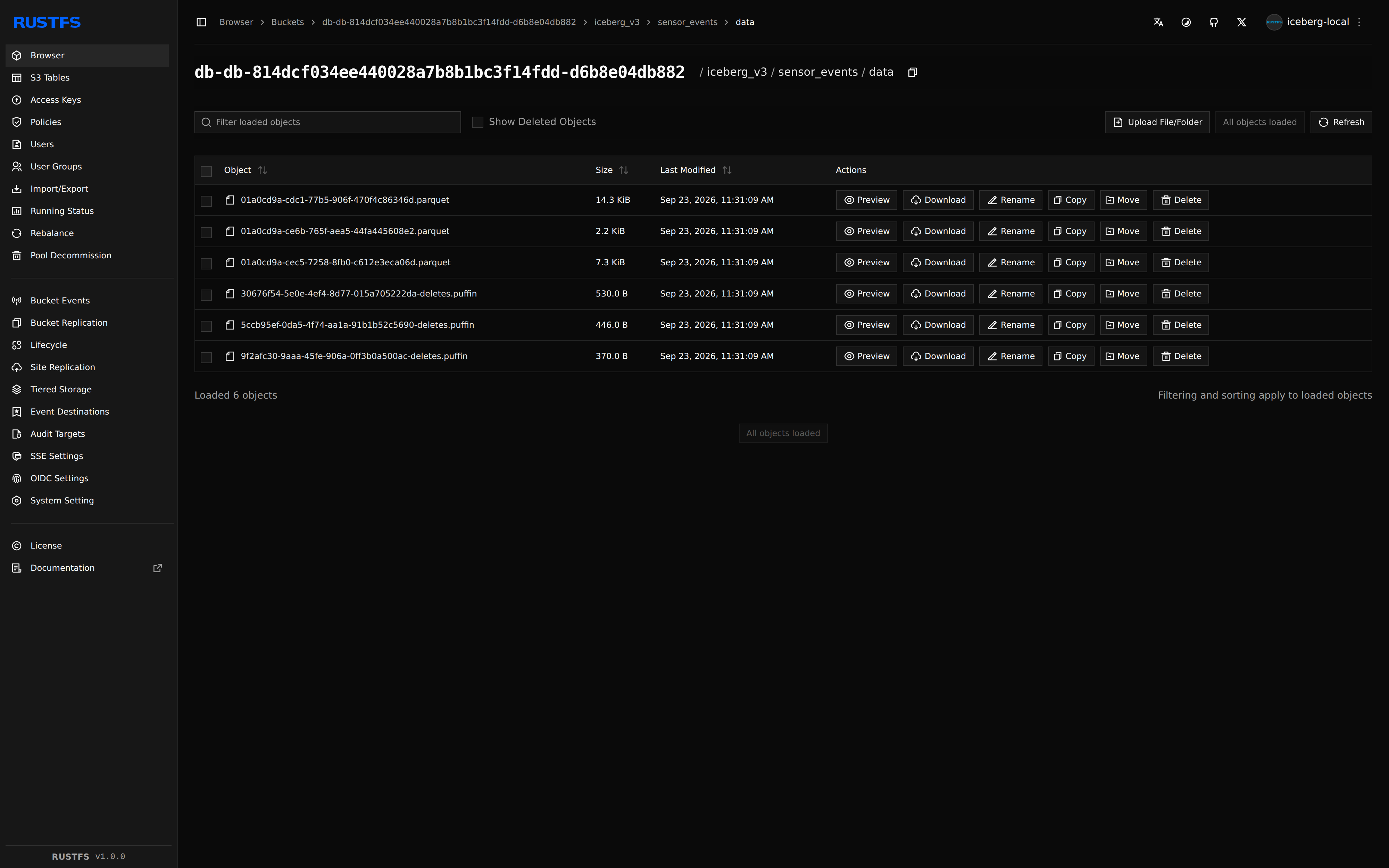
Here are the files behind our demo table
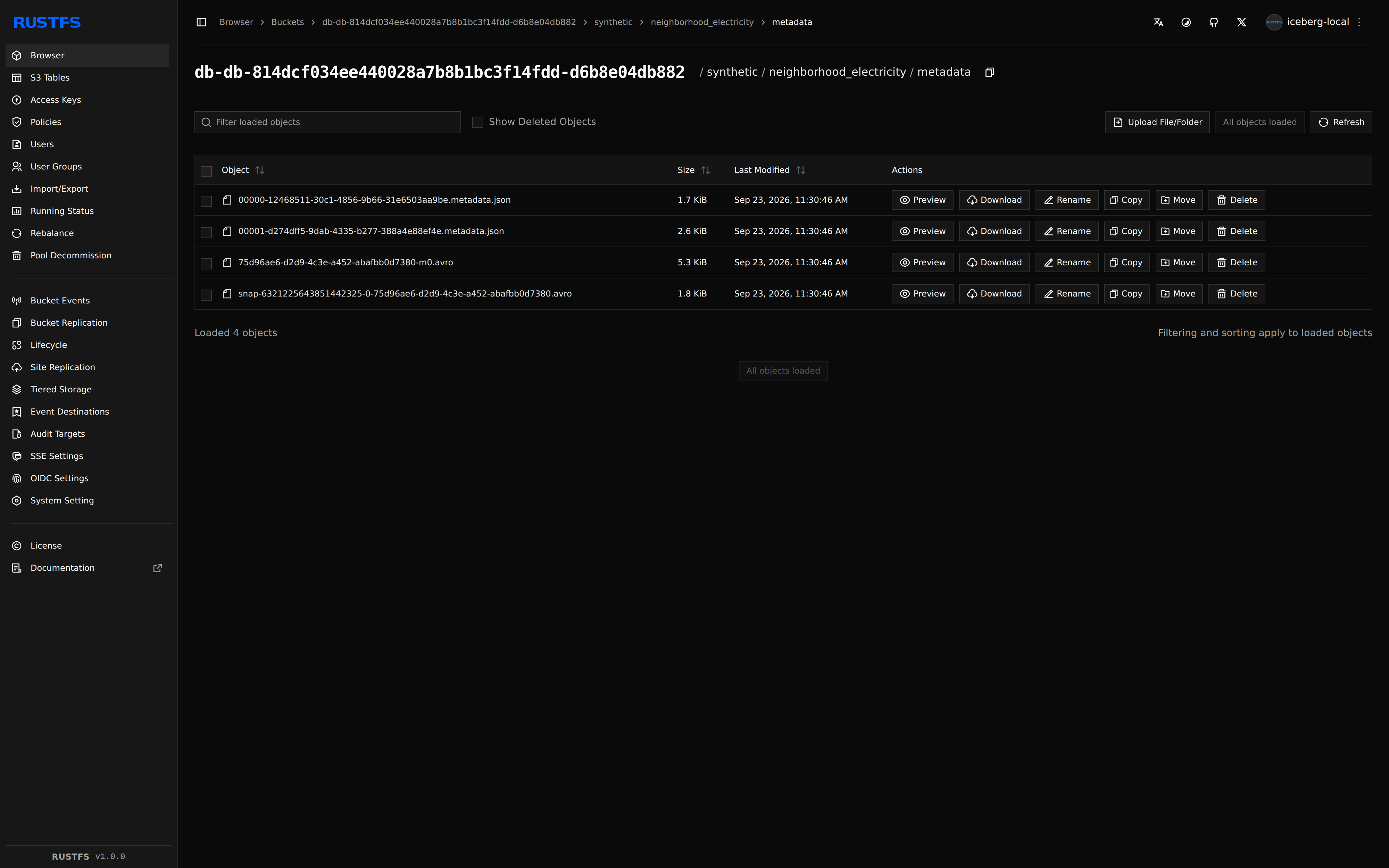
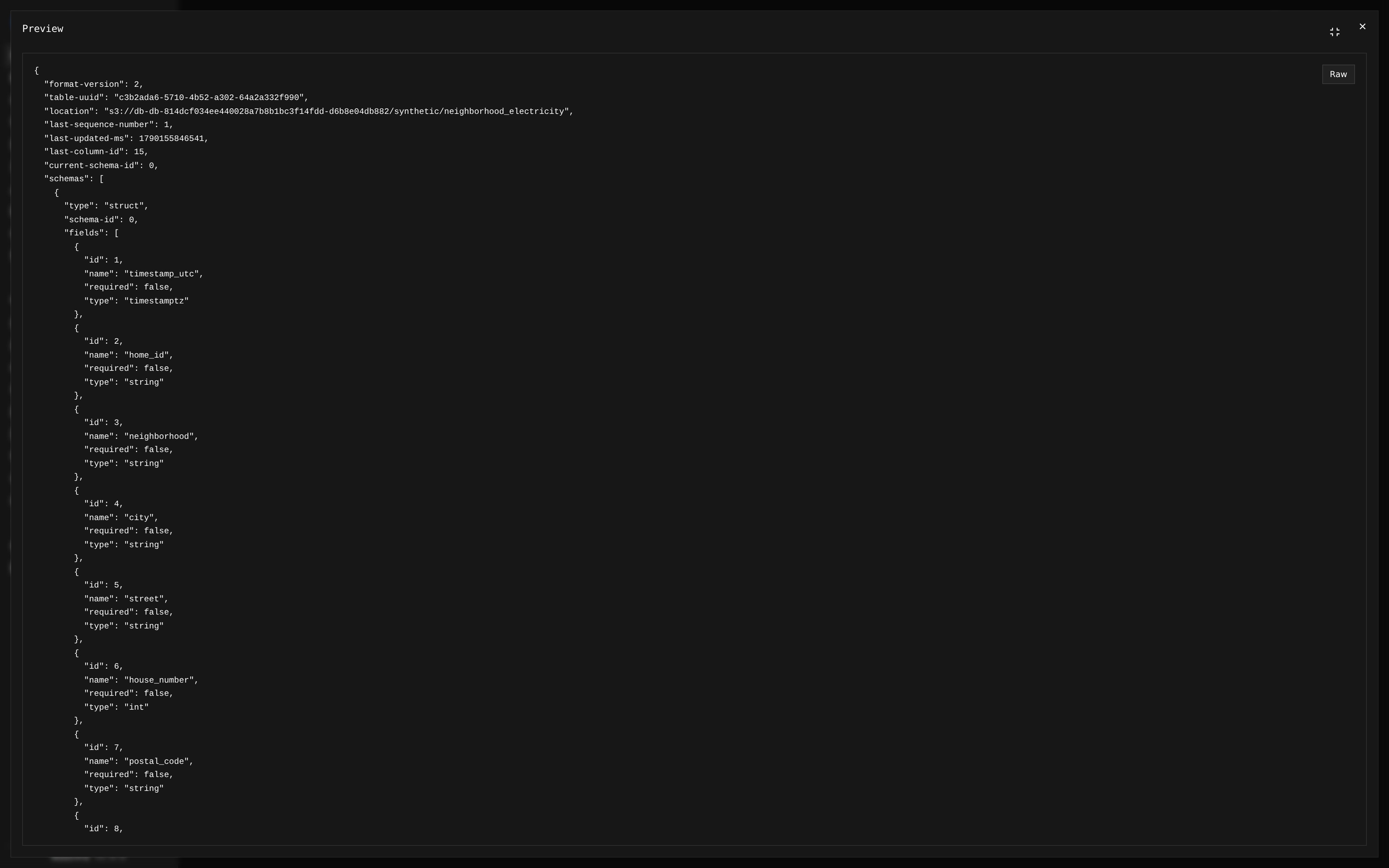
metadata.json is the table's description
In PostgreSQL, you inspect columns with \d or information_schema. Here, they are recorded in JSON.
You can open that description in the storage console
How a new batch becomes visible
Imagine adding today's electricity readings. Readers should see the whole batch together.
Write new files
The writer adds the new rows and file lists to storage. The current table still points to the previous version.
Publish the new version
New table metadata is written. Polaris checks the commit and atomically switches the current metadata reference.
See a complete snapshot
New queries can see the batch. Queries already reading an older snapshot keep a consistent view.
If another writer commits first, the change must be rechecked and retried or rejected.
A delete adds one small file instead of rewriting data
What this means when you use the table
| You want to… | A regular PostgreSQL table | An Iceberg table |
|---|---|---|
| Publish a batch safely | Commit a transaction; it can span several tables. | Publish one table version atomically through the catalog. |
| Rename a column | Change the column definition with ALTER TABLE. | Update metadata; the column ID stays the same and data files stay in place. |
| Read an earlier version | Usually needs history tables or a backup restore. | Choose an older snapshot, while its metadata and files are retained. |
| Use another engine | Other tools normally query through PostgreSQL. | Compatible engines read the same table files directly. |
Iceberg defines the table rules. Engines and catalogs implement them; feature support varies.
What Iceberg is not
- It is not a query engine and does not execute SQL, so you pick DuckDB, Trino, Spark, Snowflake, or all of them.
- It is not a storage system: it sits on the S3 compatible object storage you already have.
- It is not a security layer by itself. Permissions and credential vending live in the catalog and in your identity provider.
- It is not maintenance free. Compaction, snapshot expiry and orphan cleanup are yours to schedule.
That separation is deliberate: because the building blocks are independent, you decide who owns each one.
Fully open source
Autonomy, portability, and the trade-offs that come with them.
Every building block is open source
| Capability | Component | Version | License | Swappable for |
|---|---|---|---|---|
| Table format | Apache Iceberg (PyIceberg) | spec v2 and v3 · 0.12 | Apache-2.0 | The standard itself, engines come and go. |
| Catalog and permissions | Apache Polaris | 1.7.0 | Apache-2.0 | Lakekeeper, Nessie, Gravitino, Unity Catalog OSS, AWS Glue |
| Identity (OIDC) | Keycloak | 26.7.4 | Apache-2.0 | Entra ID, Okta, any OIDC provider |
| Object storage (S3 API) | RustFS | 1.0.0 | Apache-2.0 | AWS S3, MinIO, Ceph, Cloudflare R2, on-prem |
| Catalog metadata store | PostgreSQL | 18 | PostgreSQL | Managed Postgres anywhere |
| Notebooks | marimo | 0.25.0 | Apache-2.0 | Jupyter, VS Code, any Python client |
| Query engine | DuckDB with the iceberg extension, reads and writes | 1.5.5 | MIT | Trino, Spark, Flink, Polars, ClickHouse |
| Portals and API | FastAPI, Python 3.14 | 0.141 | MIT | Built here, deliberately thin. |
| Agent interface | Model Context Protocol, Python SDK | 2.2 | MIT | Any MCP client: Claude Code, IDEs, your own agent |
What avoiding lock-in means in practice
The data is Parquet in a bucket you control. Moving means copying the bucket and pointing another catalog at it, without an export job or a negotiation about egress.
Iceberg REST is an open API, so Polaris today can be another REST catalog tomorrow. The table metadata already lives next to the data.
Whether a team runs local analysis with DuckDB, distributed queries on Trino, or Snowflake where that is justified, every engine points at the same dataset without duplication.
Vendor lock-in rarely happens overnight; it creeps in through the default choices. Open formats keep the platform flexible and save us a costly migration later.
Autonomy and portability
- It runs on a laptop, a VM, Kubernetes or a cloud account, from the same Compose definition.
- A one command installer for Linux, macOS and Windows, without a vendor account or a trial clock.
- You decide where the data lives and which network it ever touches.
- The cost is compute and storage you already pay for.
- Storage: anything with an S3 API.
- Identity: any OIDC provider, with users and roles staying yours.
- Catalog: any Iceberg REST implementation.
- Compute: whichever engine fits the job, per team and per workload.
curl -fsSL https://github.com/sanderdw/iceberg-data-platform/releases/latest/download/install.sh | shPS: the honest part
- Operations are your responsibility: upgrades, backups of Postgres and the buckets, monitoring, HTTPS and secrets.
- Table maintenance is yours as well. Compaction, snapshot expiration and orphan file cleanup need a schedule.
- Security boundaries are explicit. This build is a local development platform with in-memory sessions on a trusted Docker host, so read the security model before running it anywhere else.
- Fewer vendors means tighter control over the architecture, but we have to be realistic: it also pushes more integration decisions onto a small team.
- Performance across data products is harder. Combining many Iceberg data products and querying them fast takes more work than inside one integrated platform.
Open source does not mean free of work. The ownership you gain comes with the responsibility that goes with it.
The platform
Teams, databases, notebooks, data shares and AI agents, on one identity and your own permissions throughout.
Architecture
The capability model
- A team owns databases and has a stable ID, a unique name and a description.
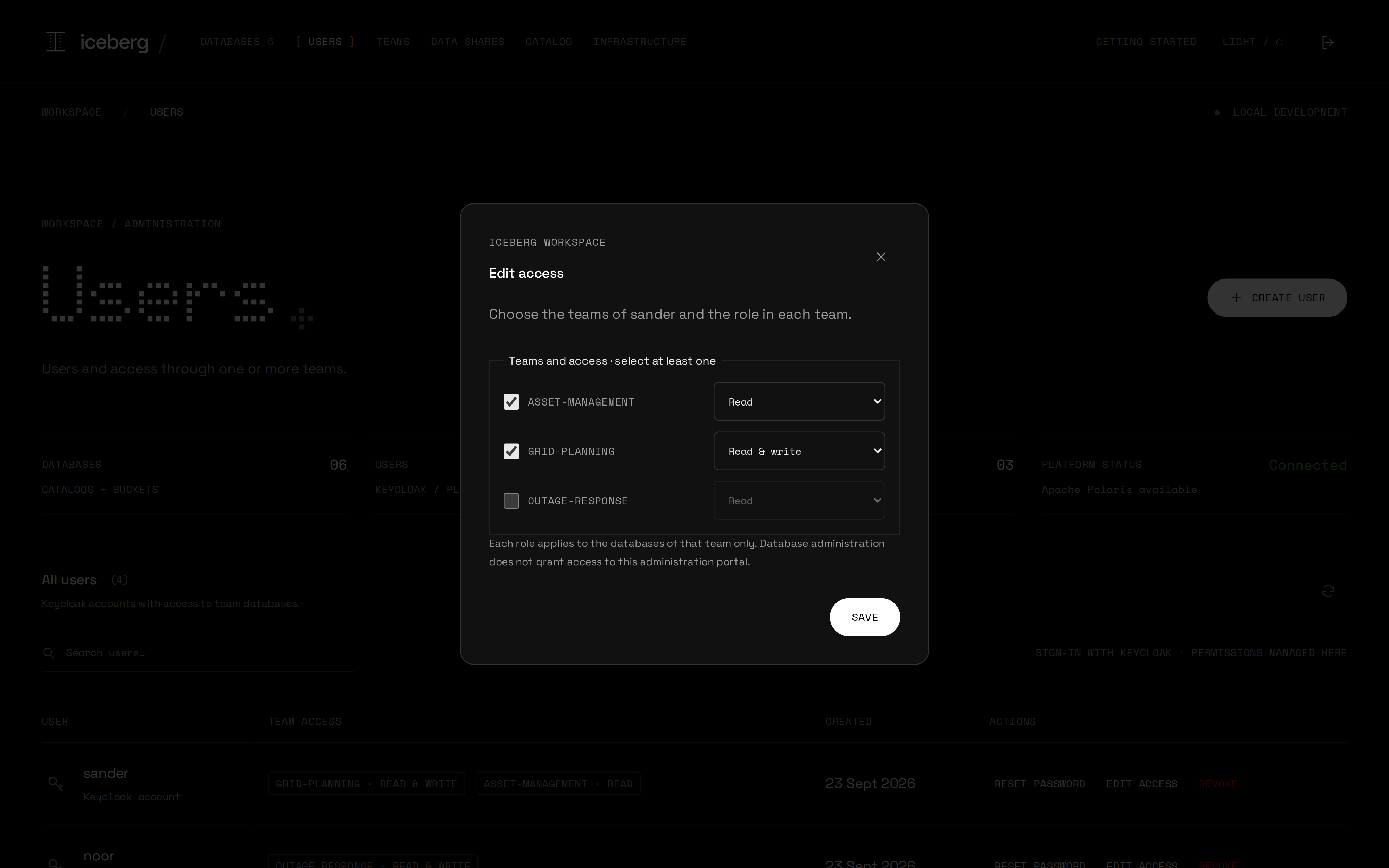
- A user signs in with Keycloak, belongs to one or more teams and has a role per team: read, read and write, or admin.
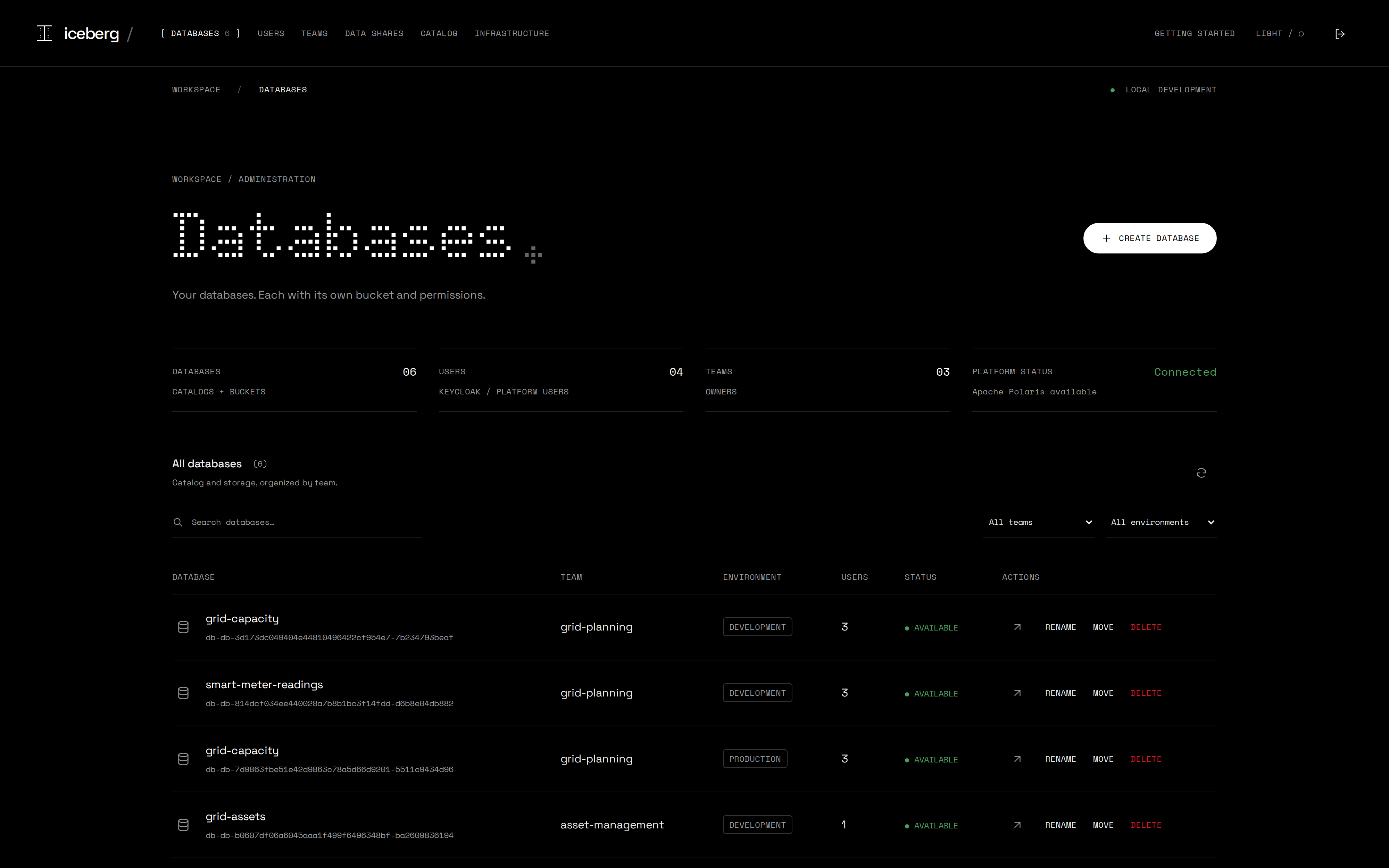
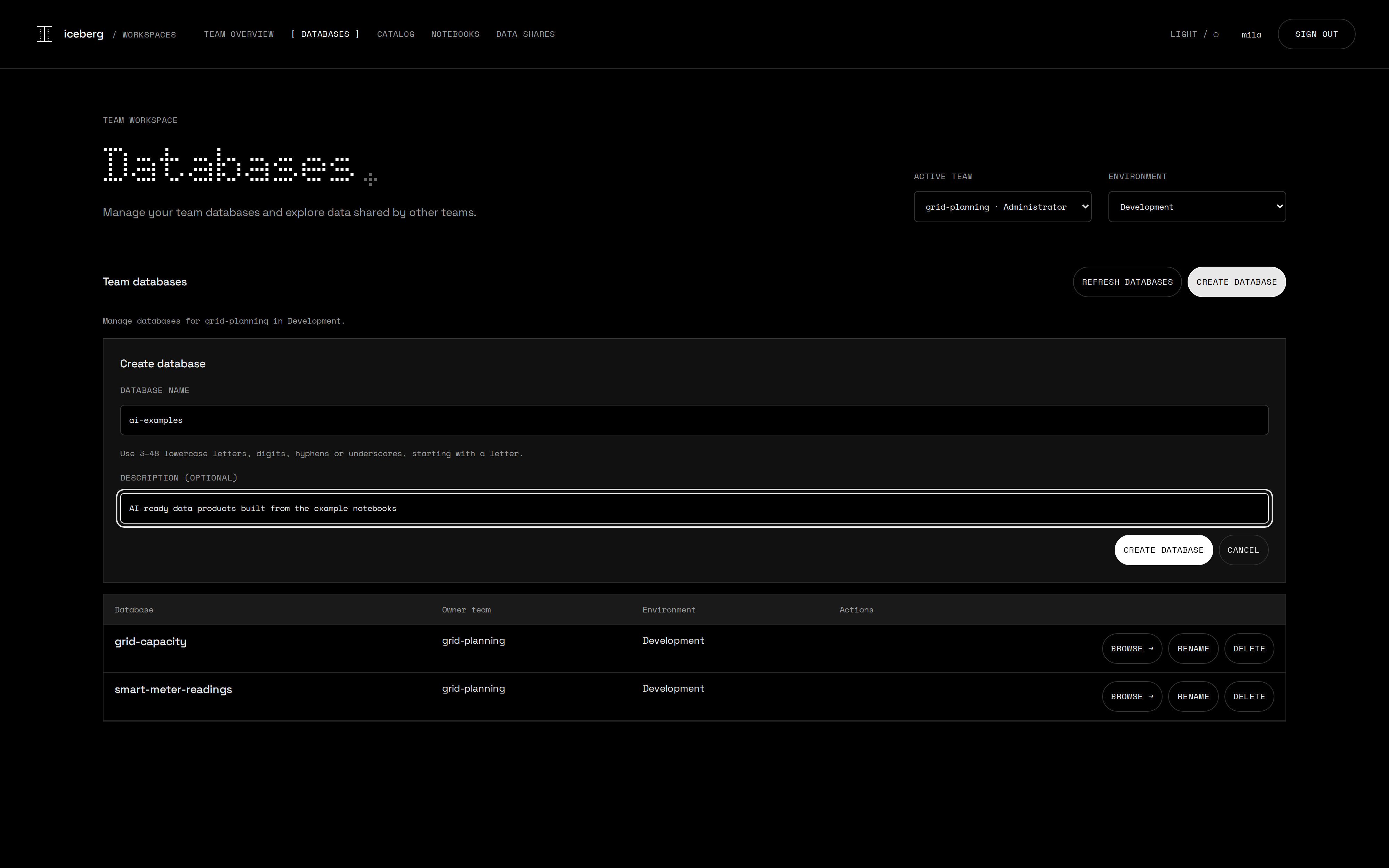
- A database is an Iceberg catalog in Polaris plus a dedicated S3 bucket. Team administrators create, rename and delete their own.
- Every database has an environment: development, acceptance or production.
- A data share gives another team, an external party, or both read access to selected tables and views of one database.
- Effective access is the union of the user's teams, each at its own role. Moving a database re-syncs grants and bucket policies.
- A team share follows membership: join the receiving team and you can read it, leave and you cannot.
- There is no second application database: Polaris is the source of truth for teams, users and catalogs.
- Portal administration is a Keycloak role; administering a team does not grant it.
Ownership is explicit: a team owns a database and a database owns a bucket. That is the governance model.
API first: the portals are just clients, and so is an agent
| GET POST DELETE | /api/session | Auth state, sign in, sign out |
| GET | /api/overview | Health and every resource |
| GET POST PATCH DELETE | /api/teams[/{id}] | Teams |
| GET POST PATCH DELETE | /api/databases[/{id}[/name]] | Create, move, rename, delete |
| GET | /api/databases/{id}/connection | Iceberg REST settings |
| GET POST PATCH DELETE | /api/users[/{id}] | Users, a role per team |
| DELETE | /api/shares/{id} | Revoke a data share |
| GET POST | /api/identity/{accounts,users,links} | Keycloak accounts |
| POST | /api/users/{id}/identity[/…] | Link, retry, reset password |
| GET | /api/admin/explorer/{databases,contents} | Browse every catalog |
| GET | /api/{infrastructure,health} | Live metrics, liveness |
| MCP | /mcp | The same, as agent tools |
| GET POST DELETE | /api/session | Sign in, sign out |
| GET PATCH | /api/{workspace,team,environment} | My context, switch it |
| POST PATCH DELETE | /api/databases[/{id}] | Team administrators |
| GET | /api/{contents,details} | Tables, schema, snapshots |
| POST | /api/preview | 100 rows max |
| POST DELETE | /api/notebooks[/{id}] | Start, stop marimo |
| GET POST PATCH DELETE | /api/shares[/{id}[/rotate]] | Outgoing shares |
| GET | /api/{share-teams,received-shares} | Targets, received |
| ANY · WS | /workspaces/{id}/… | Notebook proxy |
| MCP | /mcp | Agent tools |
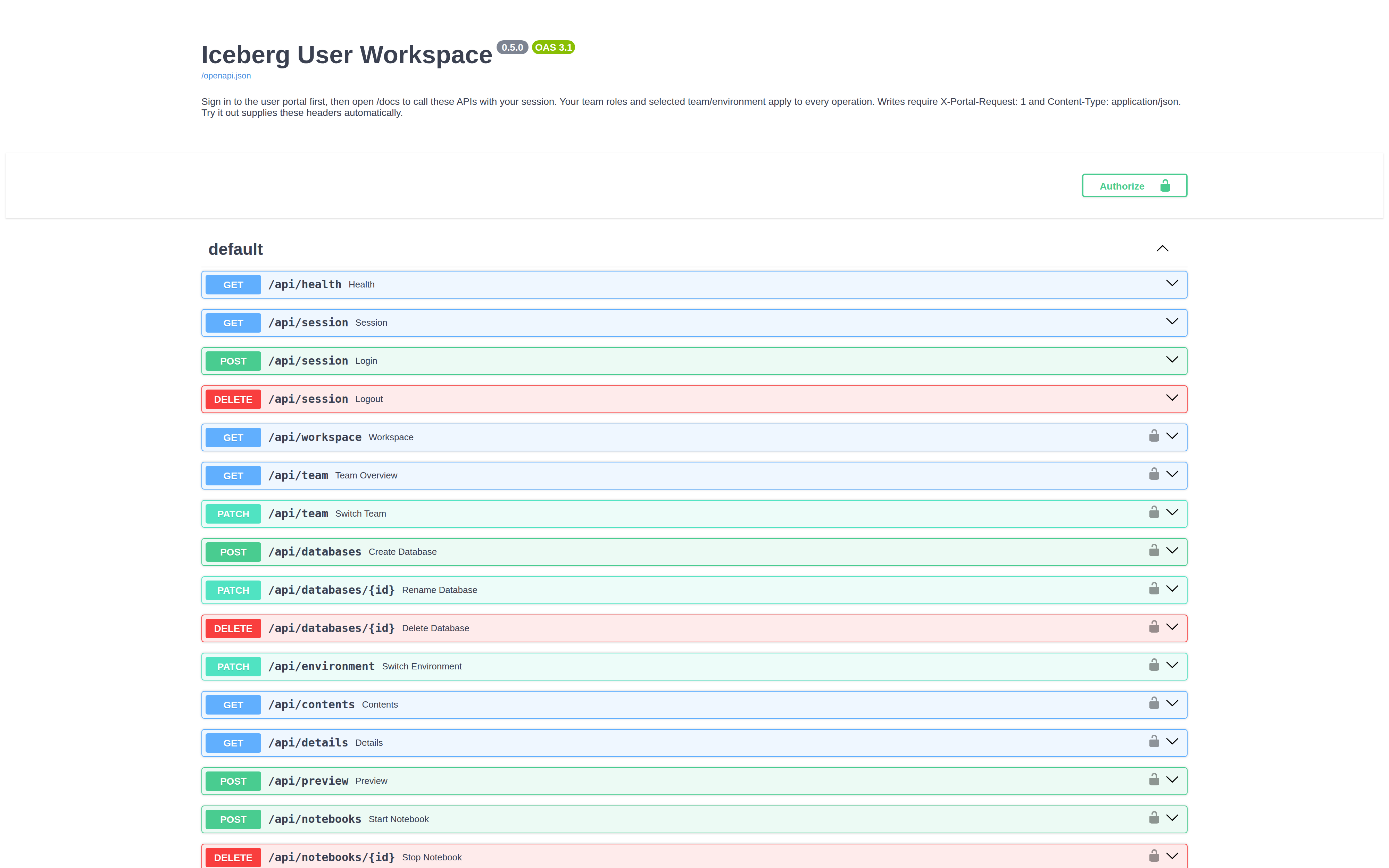
There is no private backdoor for the UI: every button is a fetch to one of these routes, and the OpenAPI schema is generated from the same code. One level down it is open APIs again: Iceberg REST on Polaris, S3 on RustFS and OIDC on Keycloak.
Try every route in the browser
One identity for everything
Databases: a catalog plus a bucket, per team
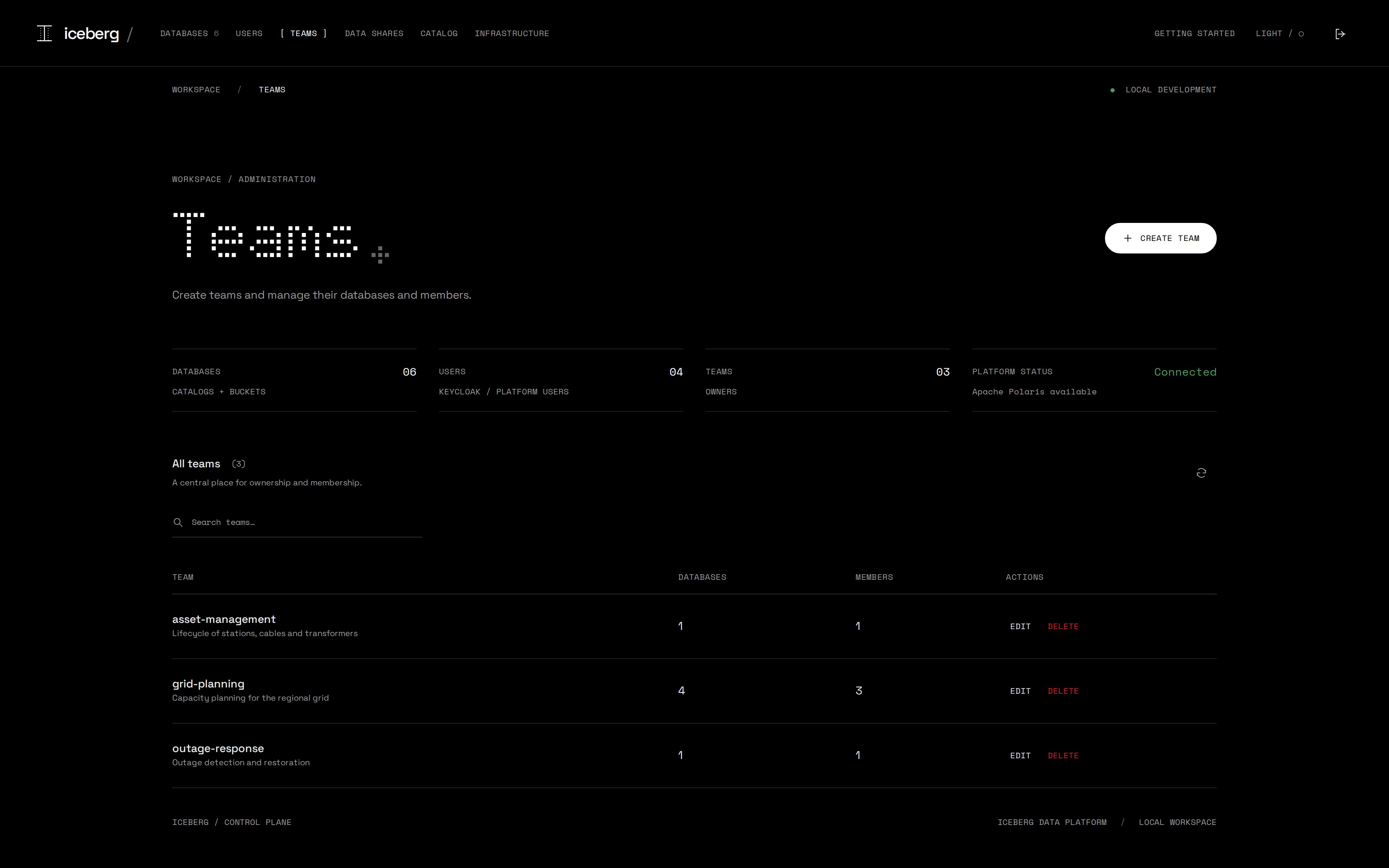
Teams and their members
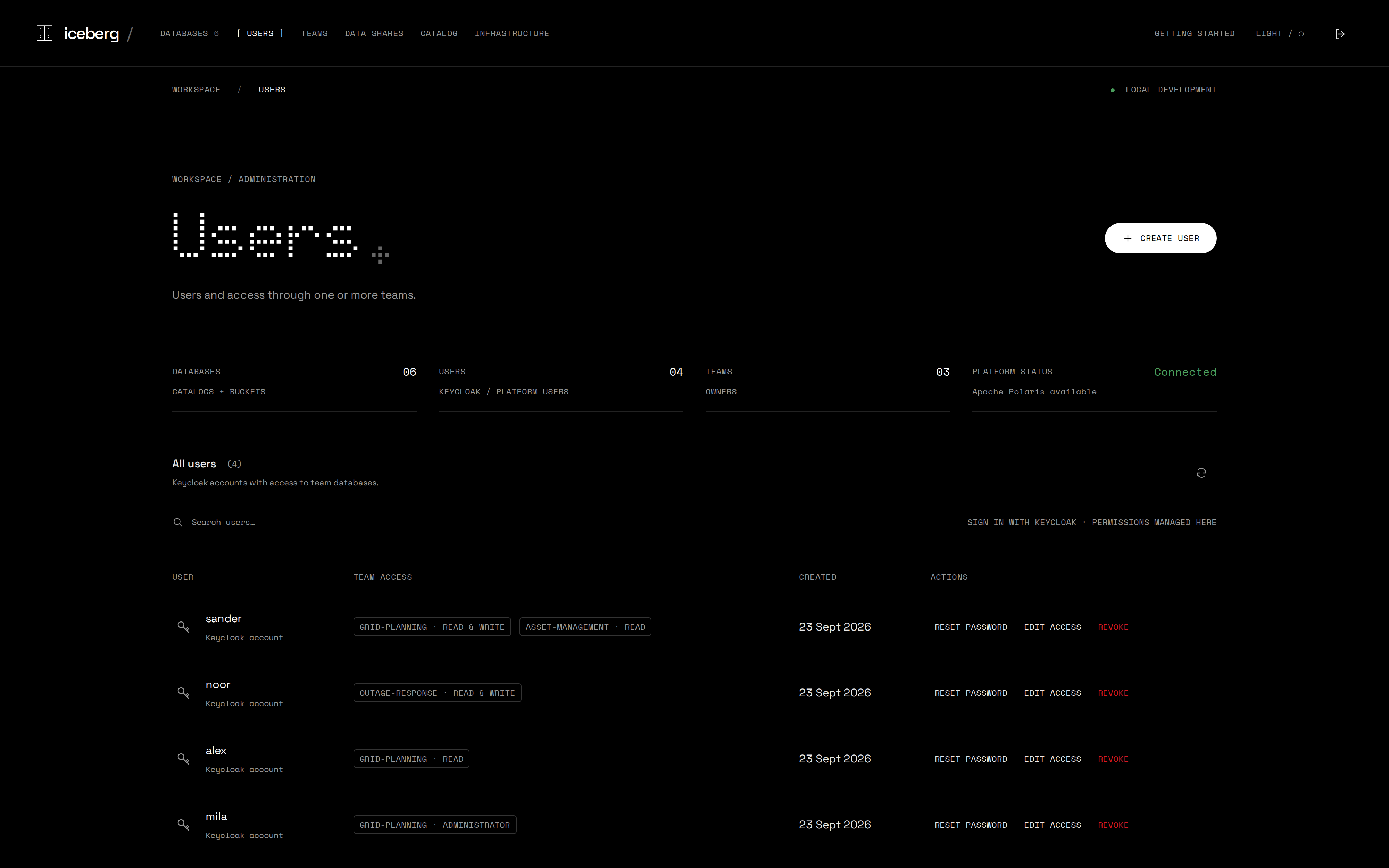
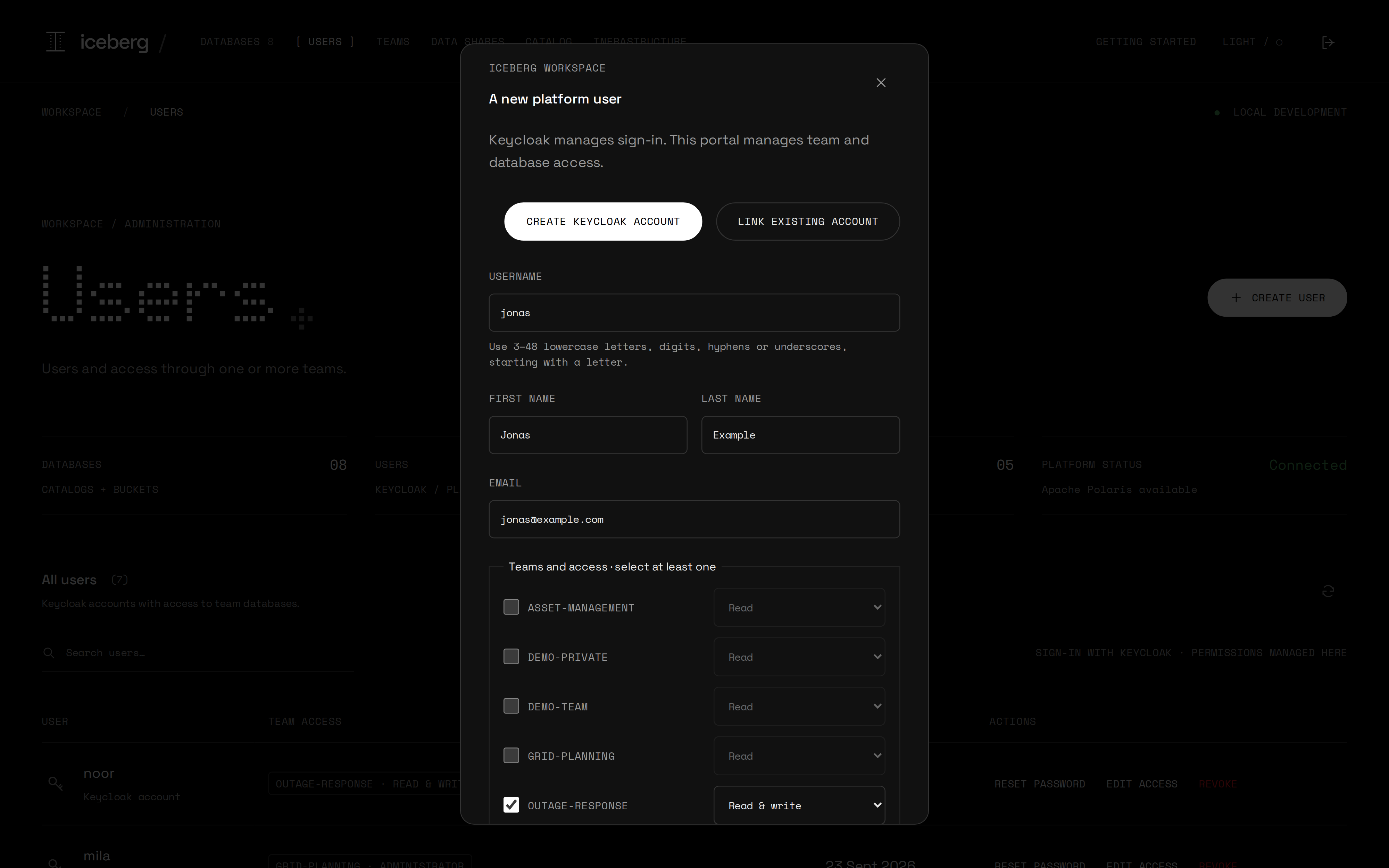
Create a user: an account and a role per team
A role per team
Creating a user creates a Keycloak account
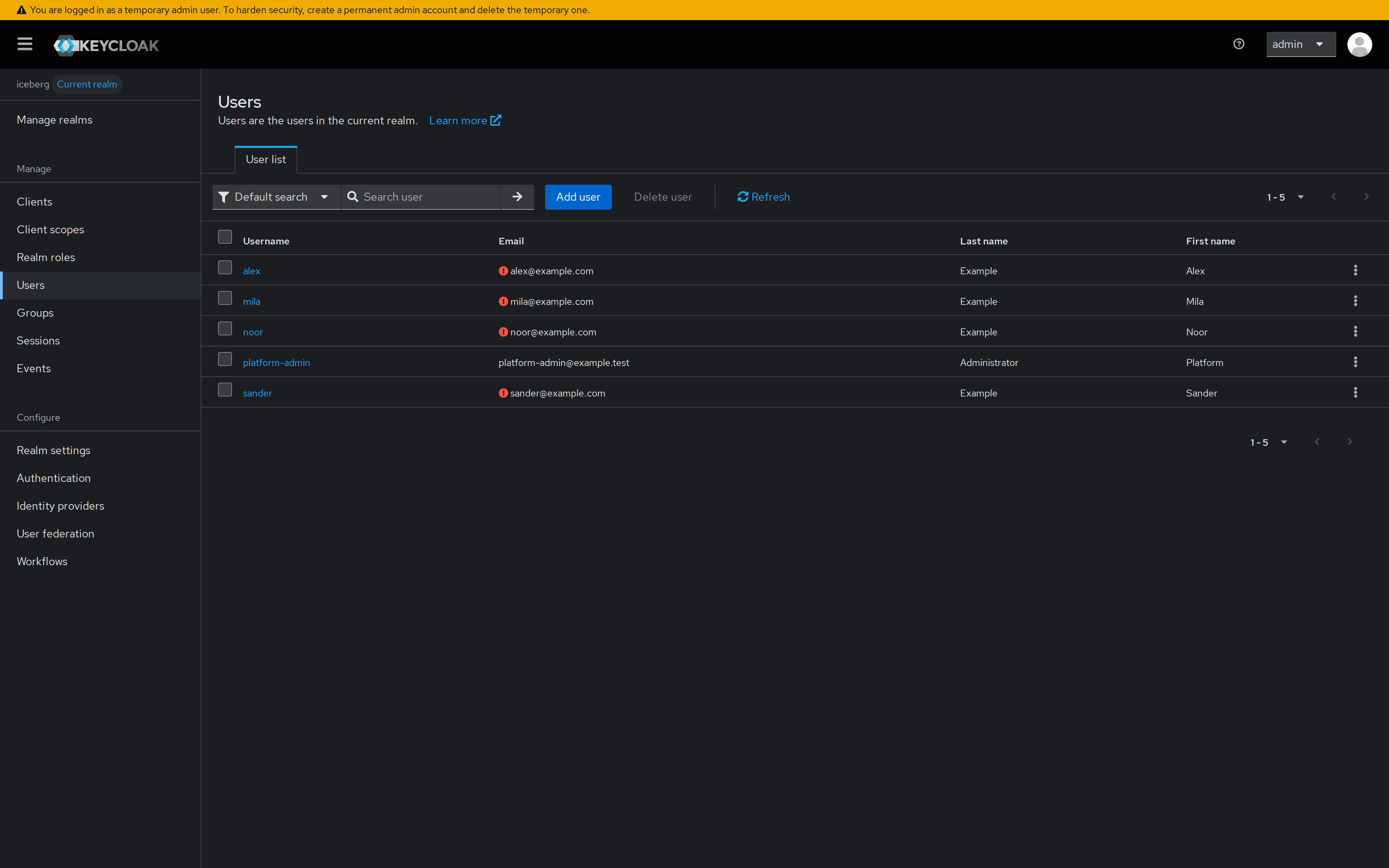
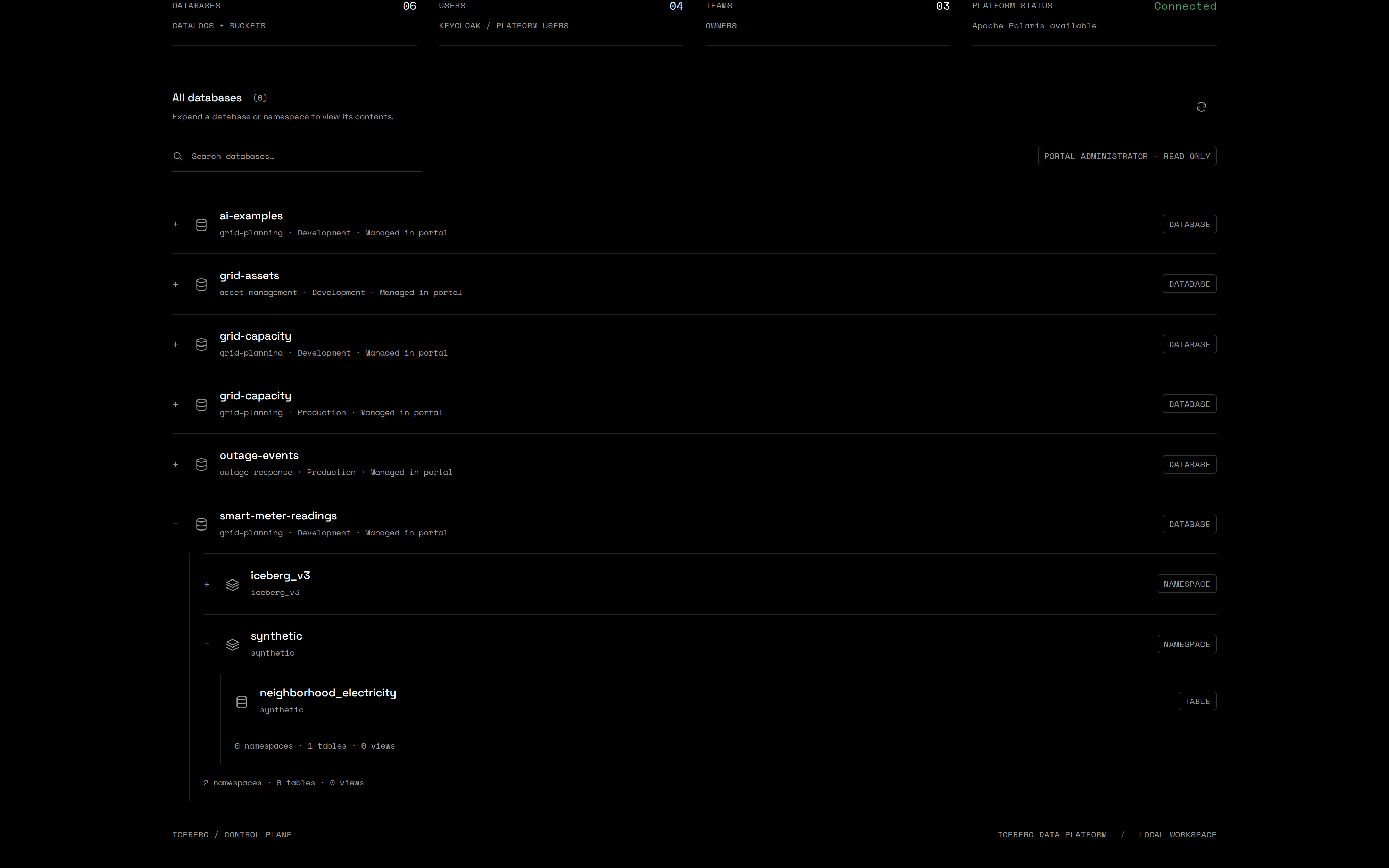
Catalog explorer and live infrastructure
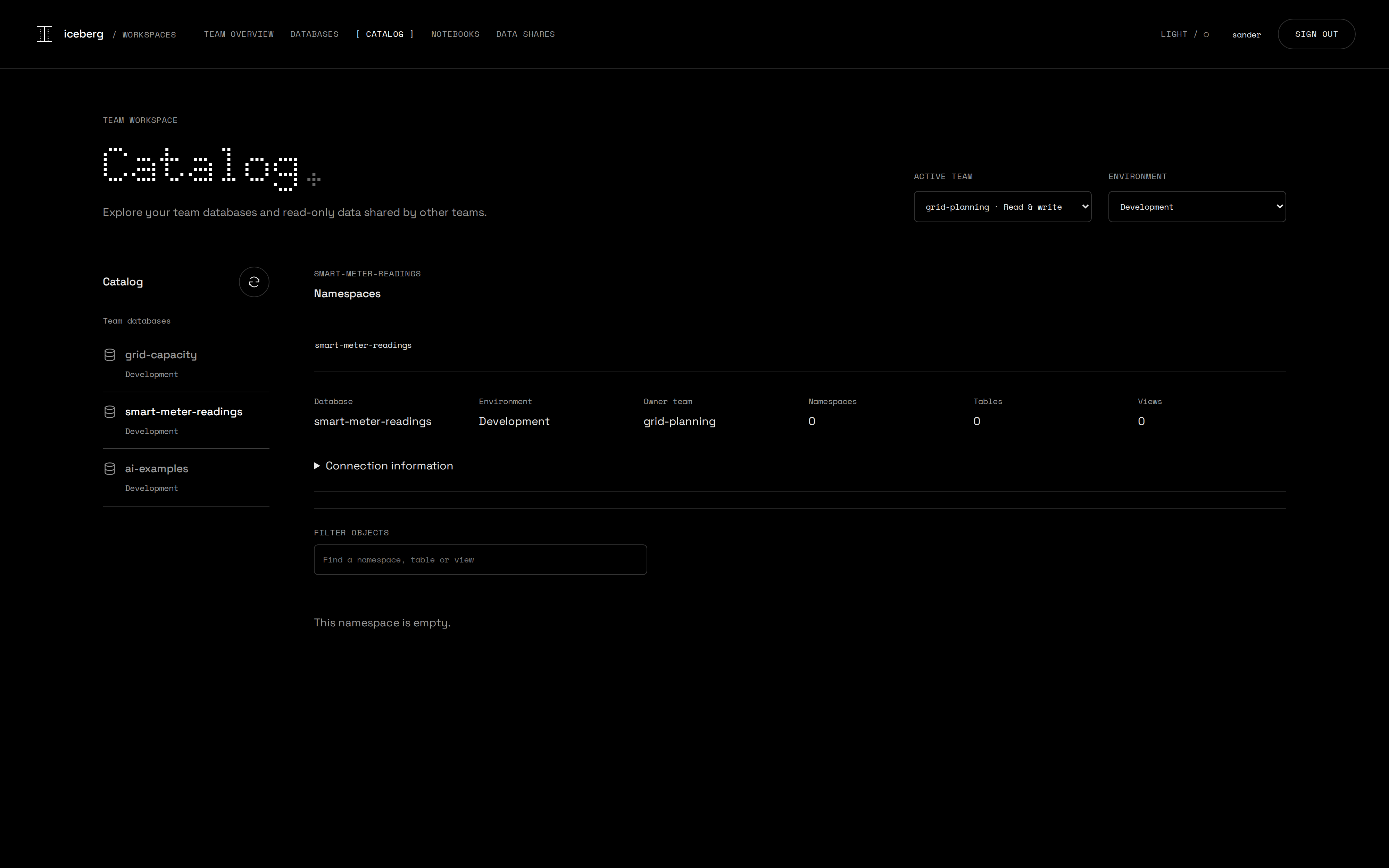
The user portal: your teams, your databases
Team administrators run their own databases
Iceberg v3, written by DuckDB
CREATE TABLE lakehouse.iceberg_v3.sensor_events (
    event_id     BIGINT,
    device_id    VARCHAR,
    site         VARCHAR,
    location     GEOMETRY,
    measured_at  TIMESTAMP_NS,
    payload      VARIANT,
    synthetic    BOOLEAN
) WITH ('format-version' = 3);

ALTER TABLE … ADD COLUMN firmware VARCHAR DEFAULT 'v1.0';
UPDATE … SET firmware = 'v2.0' WHERE device_id = 'SENSOR-001';
DELETE FROM … WHERE payload.kind::VARCHAR = 'fault';- VARIANT holds a different structure per event, without a fixed schema.
- TIMESTAMP_NS and GEOMETRY are native column types.
- Column defaults mean that adding
firmwarerewrites none of the 480 rows. - Deletion vectors let updates and deletes mark row positions in a small Puffin file.
- Row lineage keeps a stable ID per row, together with the commit that last changed it.
Inspect a table without opening a notebook
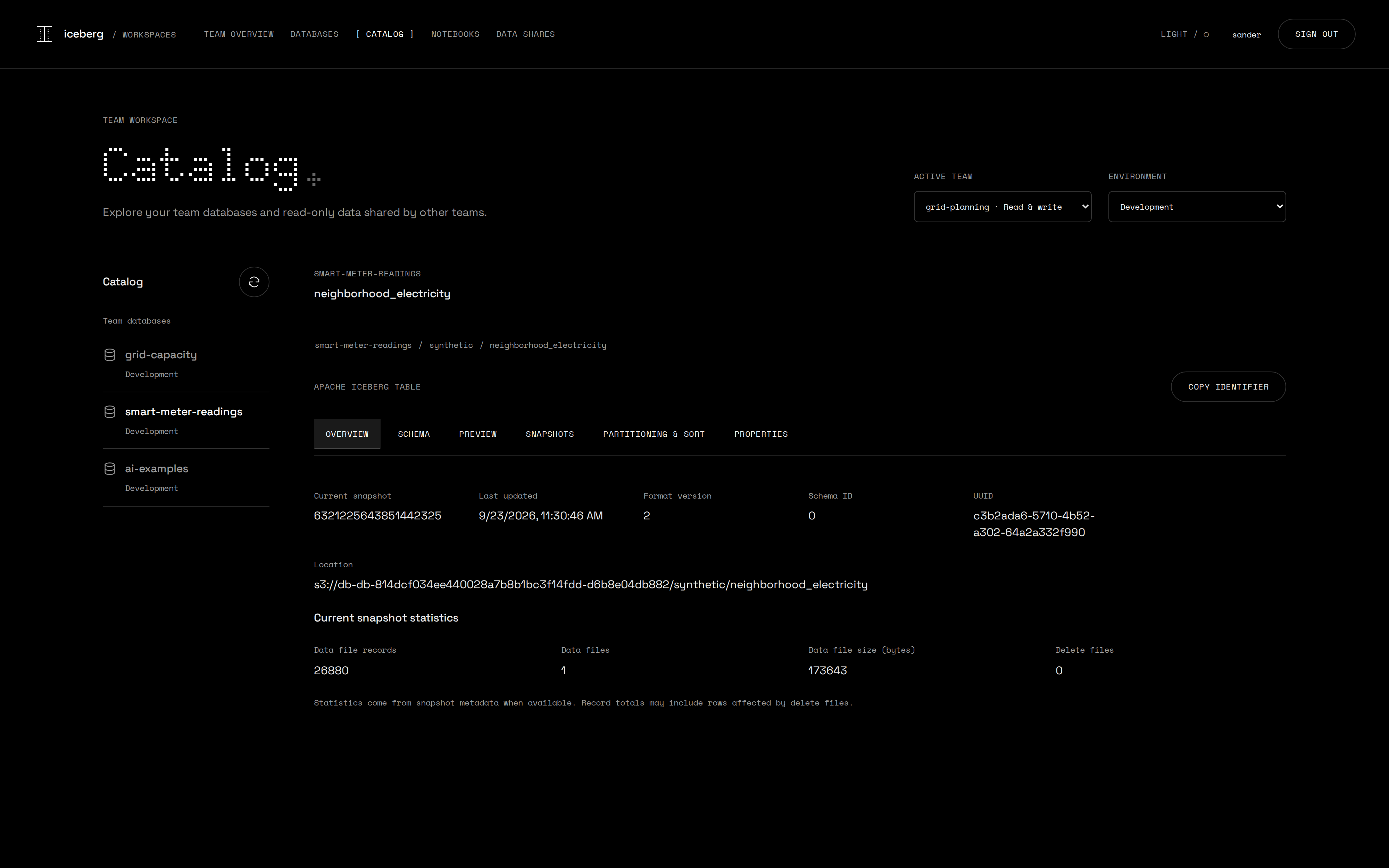
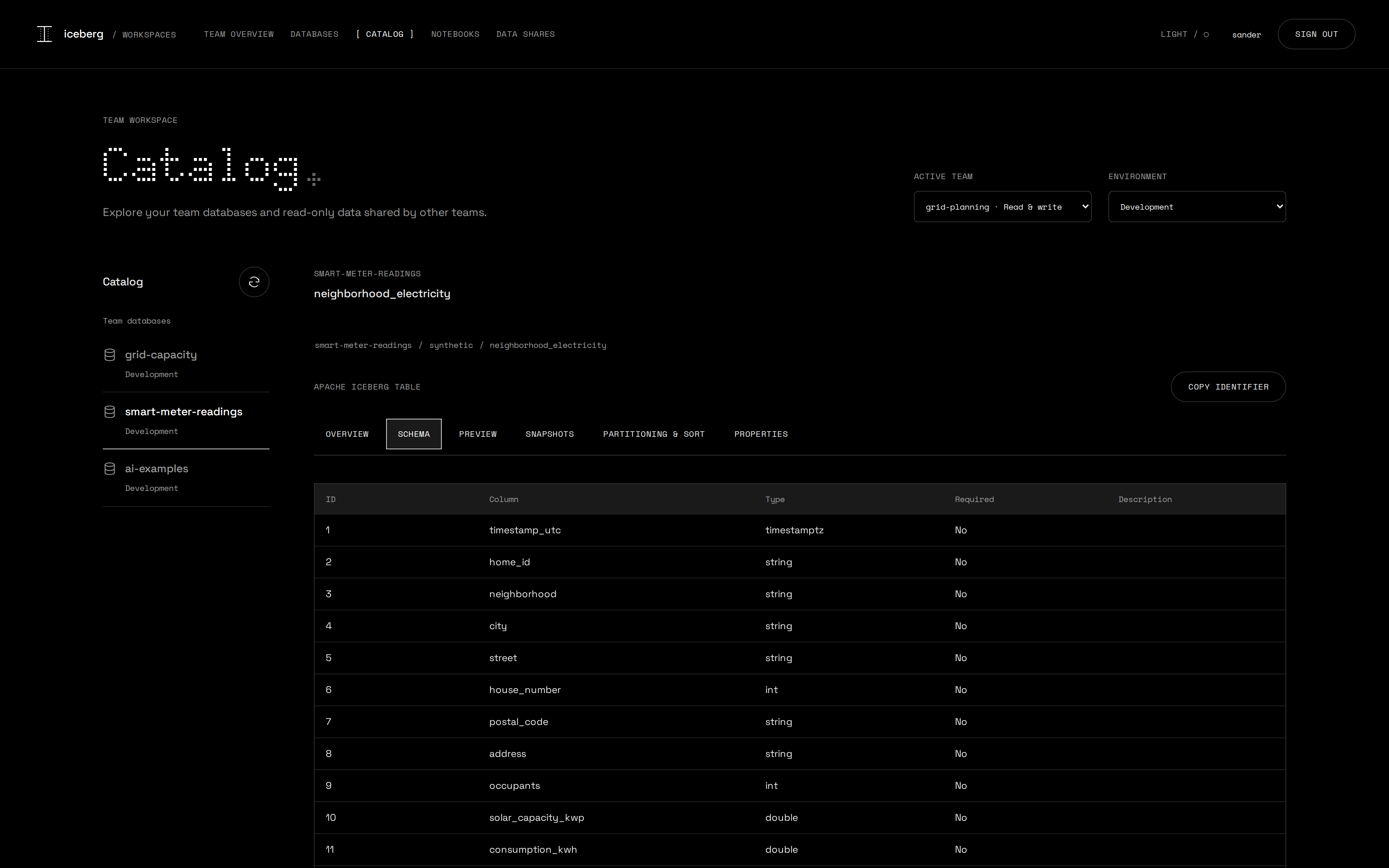
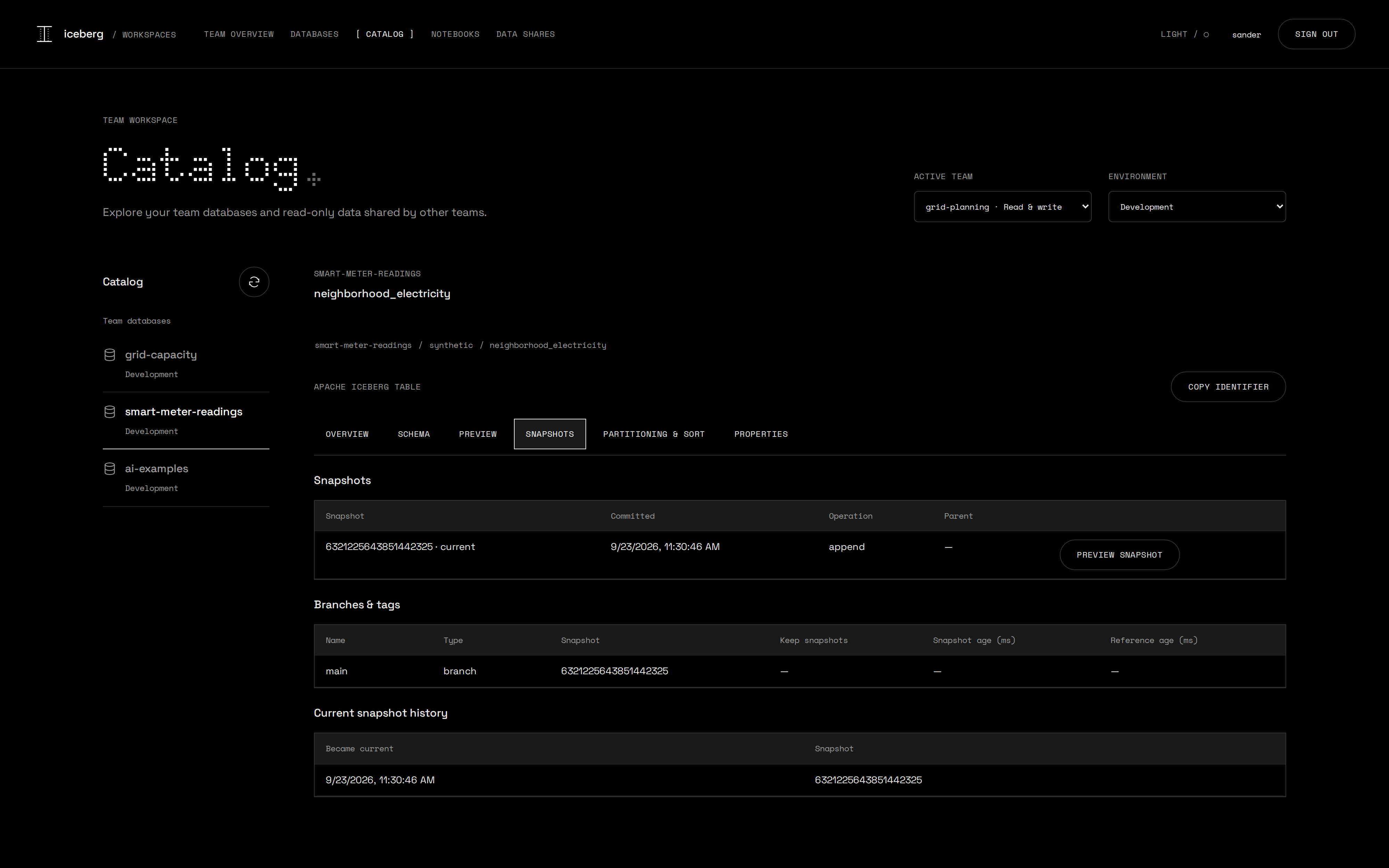
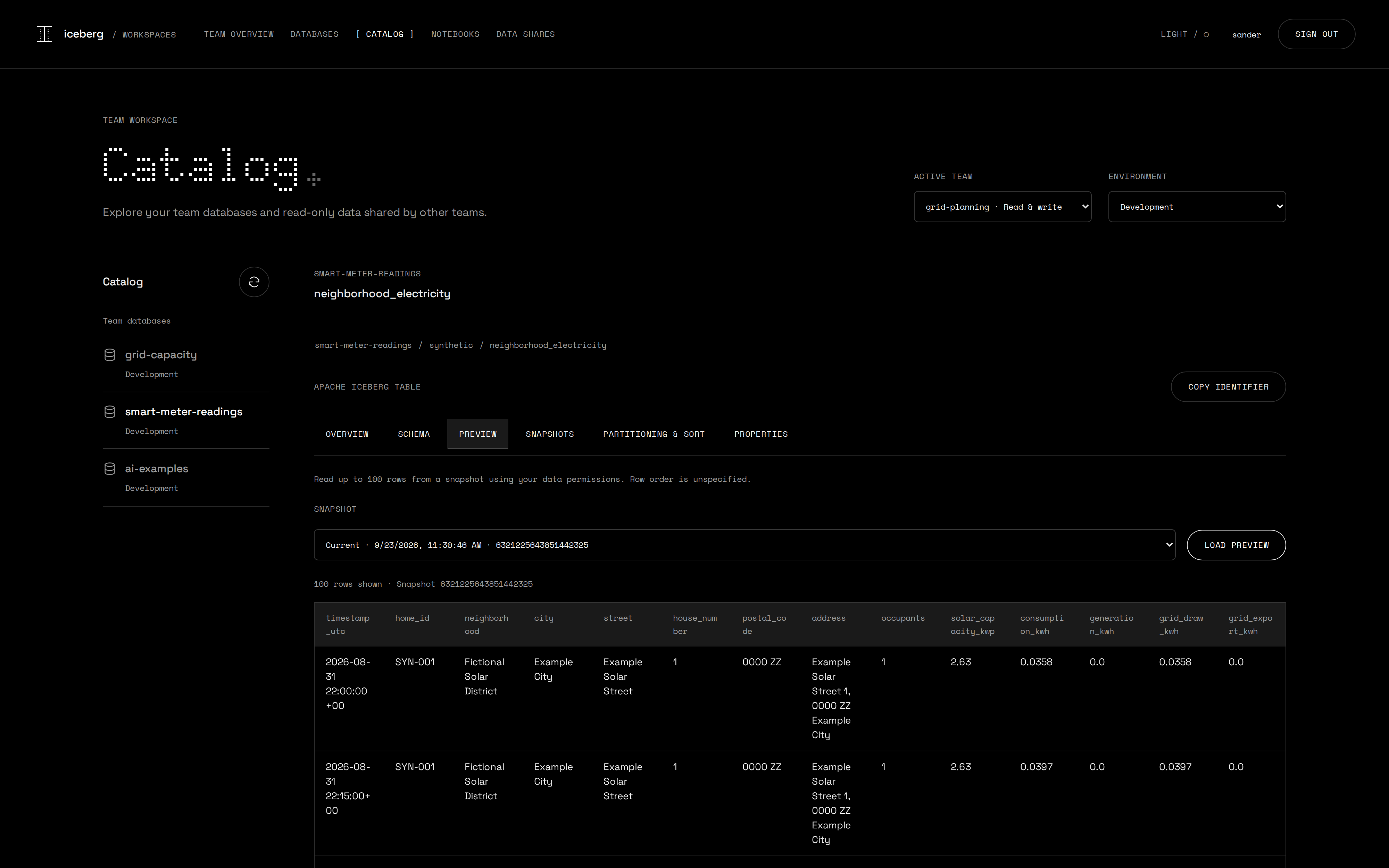
Snapshots, branches and a preview at any snapshot
Share with another team or someone outside, without a copy
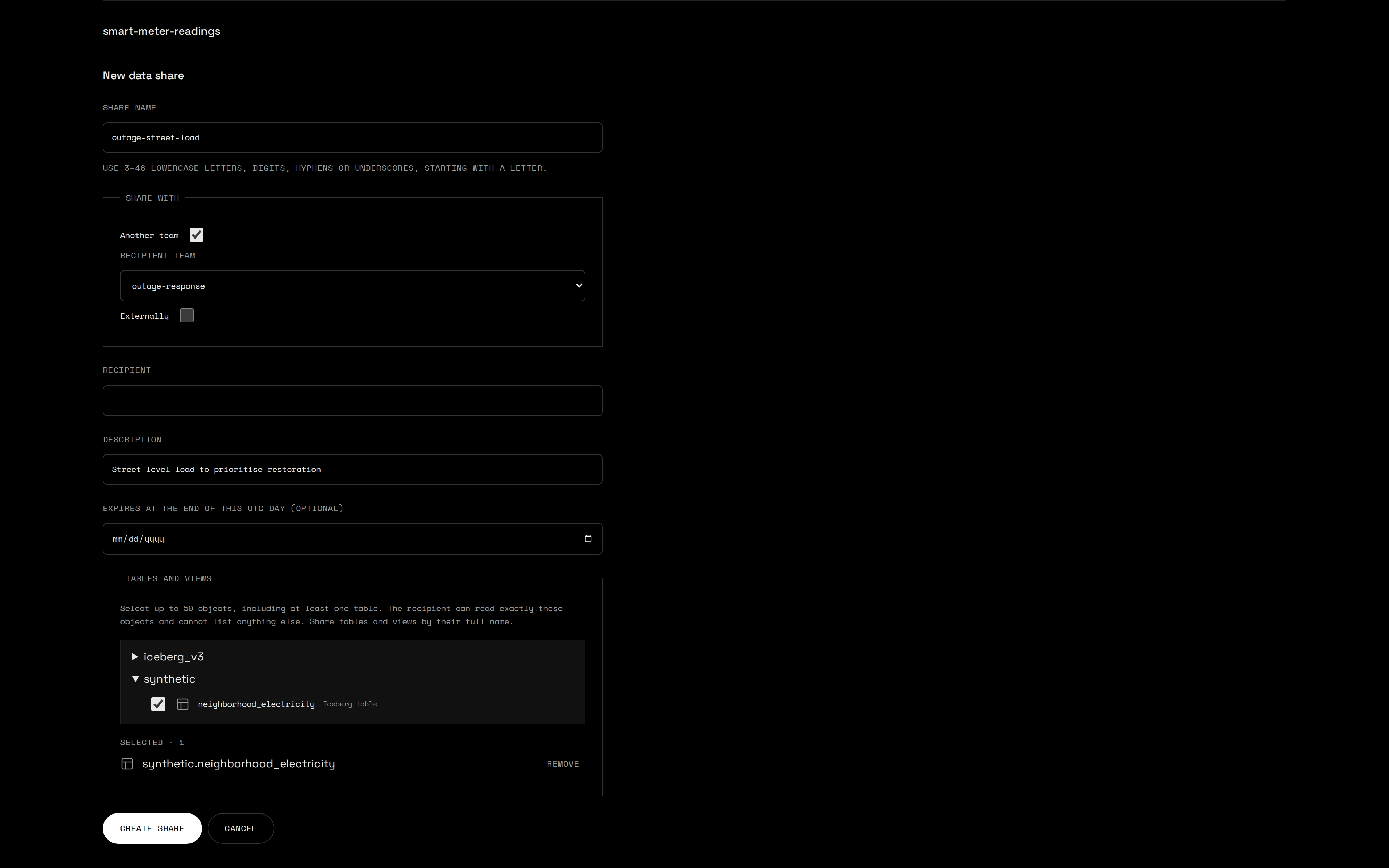
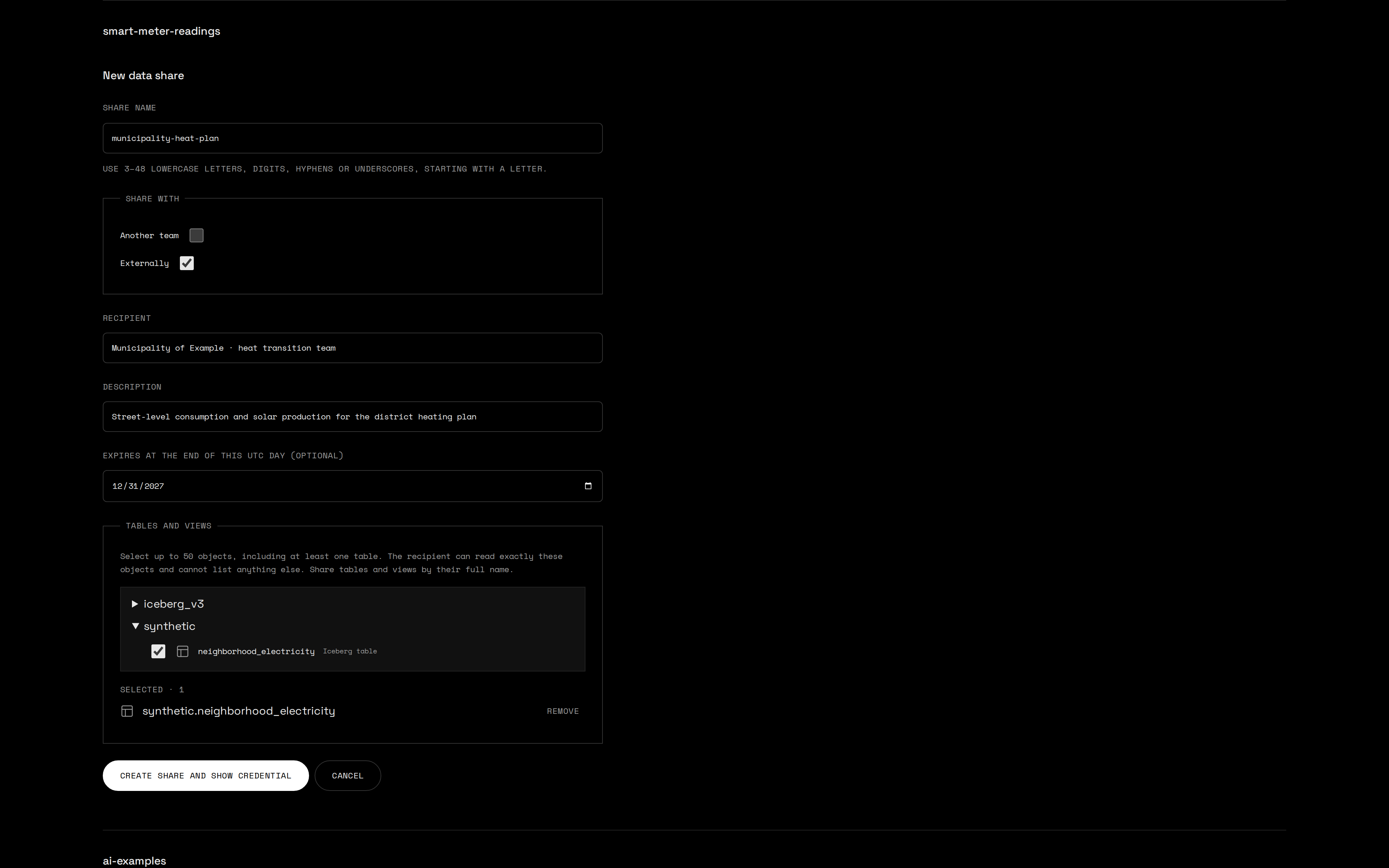
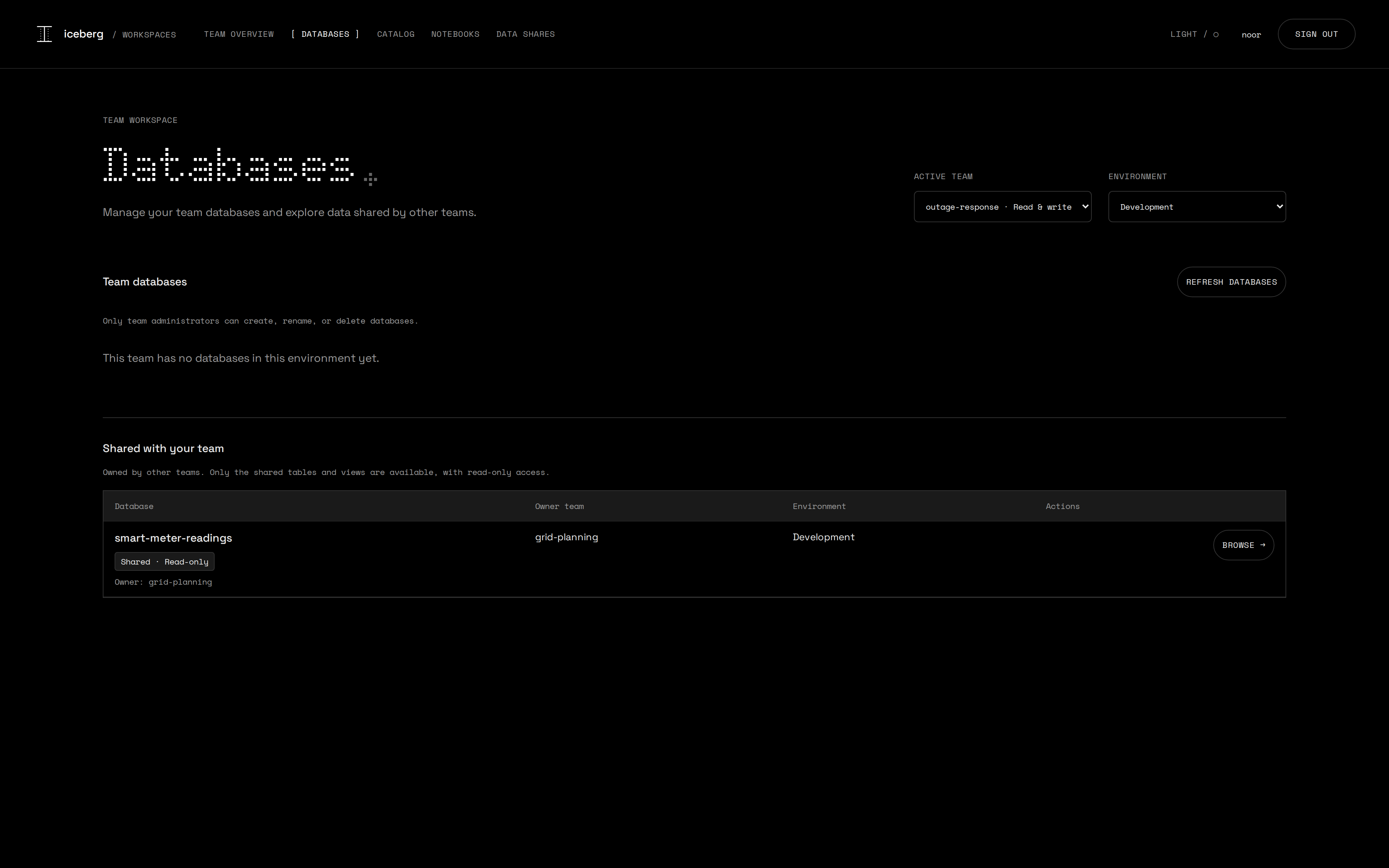
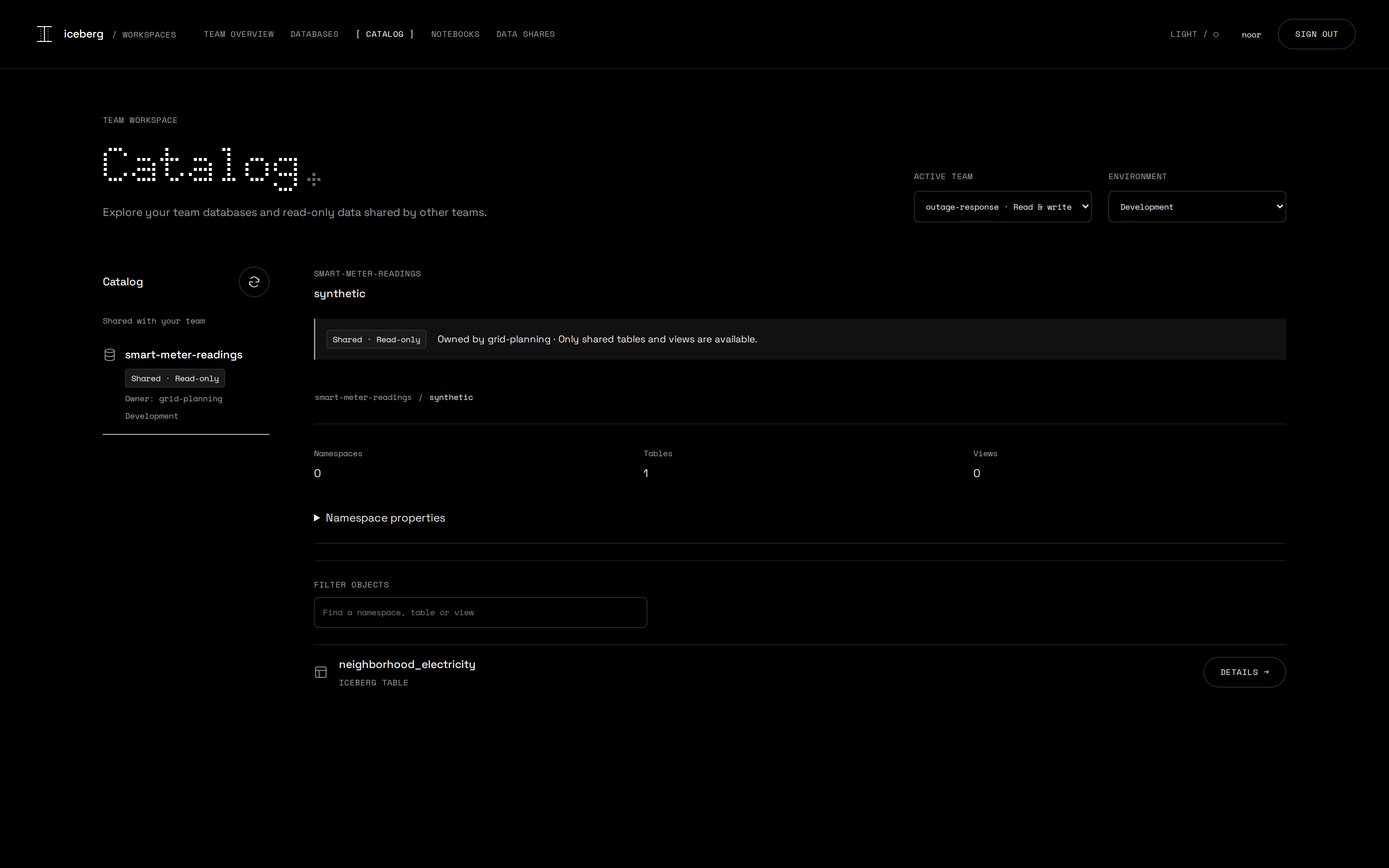
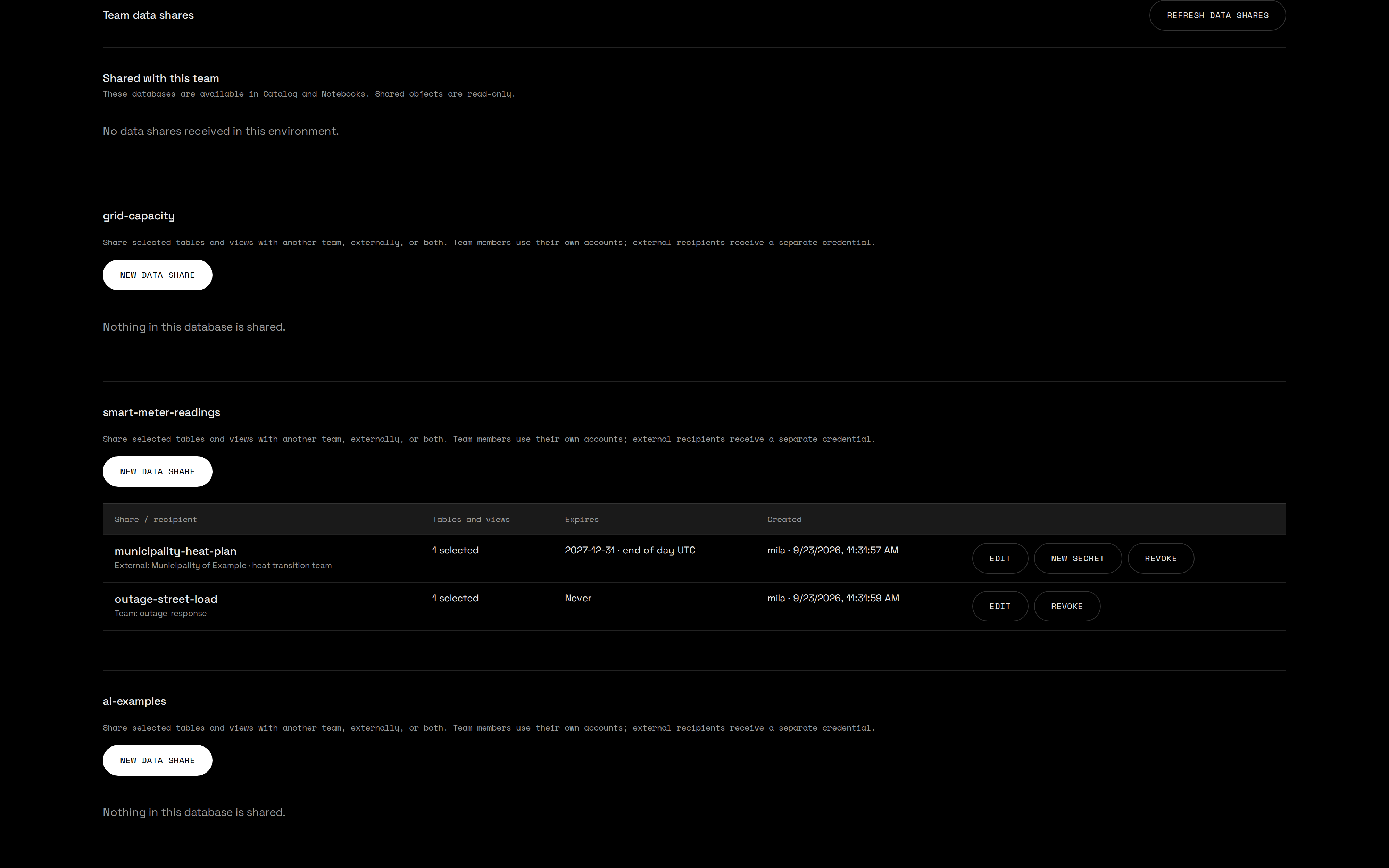
A team administrator picks tables and views of one database in the user portal and chooses the recipient: another team, an external party, or both. No platform administrator in the loop.
Access is granted per object: an explicit read grant for each selected table or view, rather than blanket permissions on the namespace or the catalog.
Members of the receiving team use their own accounts, in the portal and in notebooks. An external party uses any Iceberg REST client with its own client ID and secret.
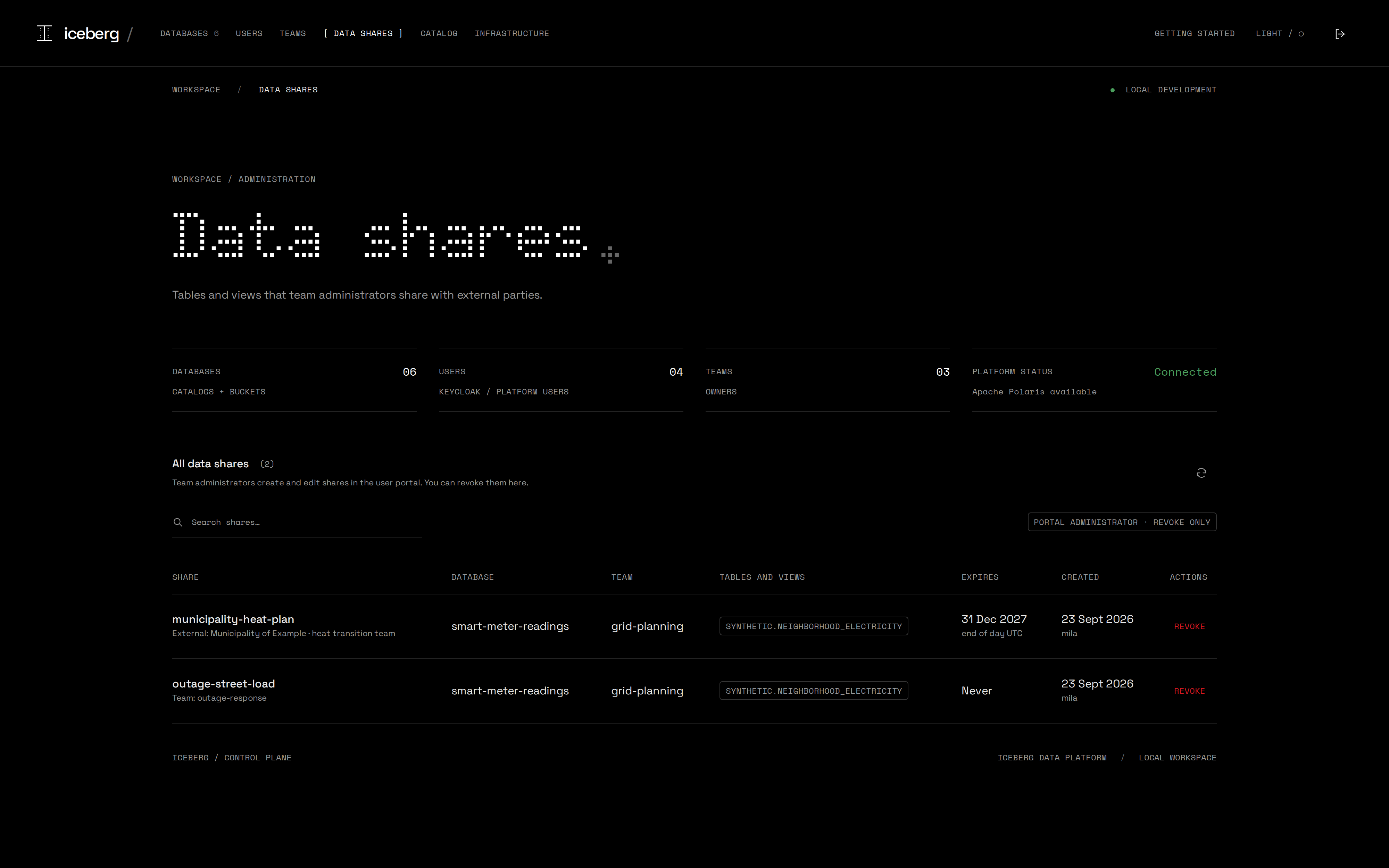
Every recipient reads the same files, and the team can expire or revoke access at any time. There is still only one copy of the data.
Choose the recipient and the tables in one form
What the receiving team sees
Teams manage their own shares, the platform keeps oversight
What an external recipient can and cannot do
from pyiceberg.catalog import load_catalog

catalog = load_catalog(
    "shared", type="rest",
    uri="https://catalog.example/api/catalog",
    warehouse="db-…",
    credential="<client-id>:<client-secret>",
    scope="PRINCIPAL_ROLE:ALL",
    **{"header.X-Iceberg-Access-Delegation":
       "vended-credentials"},
)

table = catalog.load_table(
    "synthetic.neighborhood_electricity")
table.scan().to_arrow()         # 26,880 rows

catalog.list_namespaces()       # Forbidden
catalog.list_tables("synthetic")  # Forbidden
catalog.load_table("synthetic.other") # Forbidden- A share holds no list privilege, so the recipient loads only the shared objects, by full name.
- Storage follows the grant: vended S3 credentials are read-only and stop at the prefix of the shared table.
- A view is a definition rather than a filter, so the tables it reads are shared with it and readable in full.
- Revoking is immediate for catalog tokens; storage credentials already handed out expire on their own.
- Outside one machine this needs your own TLS proxy in front of Polaris and RustFS.
Your catalog, for an AI agent
claude mcp add --transport http \
  --client-id iceberg-mcp --callback-port 3010 \
iceberg-user http://localhost:3002/mcp| list_databases | Your teams, your role in each, owned and shared databases |
| list_namespaces · list_tables | Browse what your grants allow |
| describe_table · describe_view | Schema, partitioning, snapshots, branches, view SQL |
| preview_rows | Up to 100 rows, at any snapshot |
| create · rename · delete_database | Team administrators only · delete needs the exact name |
- The agent signs in through Keycloak as you: a public client with PKCE, no secret to store.
- Every call runs with your Polaris grants, so the agent sees exactly what you see and nothing more.
- A shared database stays read-only for the agent too.
- Destructive tools are marked as such, and the agent is told to ask before using them.
Any MCP client works: Claude Code, an IDE, or your own agent. The protocol is open, just like Iceberg REST.
And one for the platform administrator
claude mcp add --transport http \
  --client-id iceberg-mcp --callback-port 3010 \
iceberg-admin http://localhost:3000/mcp| get_overview · browse_catalog | Health, every team, database, user and share |
| create · update · delete_team | Teams |
| create · rename · move · delete_database | Databases across all teams |
| create · link_user · update_user_access | Keycloak accounts and a role per team |
| list_shares · revoke_share | Oversight on every data share |
- The platform-admin role is checked in the token on every call, not once per session.
- Irreversible tools are marked as destructive;
delete_databaserefuses without the database's exact name. - Connection details never include credentials.
- A new user's one-time password lands in the agent transcript, so treat that transcript as a secret.
“Create a team for the heat transition, give it a development database and add Noor as a writer” takes one sentence instead of three screens.
Security model, in one slide
- The user portal, Polaris, the notebooks and MCP all work with that user's Keycloak token. No shared service account for data access.
- Polaris vends short lived, table scoped S3 credentials; notebooks never see bucket root keys.
- Each notebook session gets its own container and network: read-only root filesystem, dropped capabilities, CPU, memory and process limits, no Docker socket.
- Revoking a membership stops the affected runtimes within 30 seconds.
- A data share holds one read grant per table or view. A receiving team never gets administration; an external secret is shown once, never stored.
- MCP accepts only tokens issued to the
iceberg-mcpclient, verified on every call: an agent never holds more than its user.
This build is meant for local development. HTTPS, persistent sessions and hostile-tenant isolation are on the roadmap, and the boundaries are documented.
What this means for us
Direction and ownership.
As far as I'm concerned
- Iceberg complements platforms like Snowflake. Use it where openness pays off: data that several teams, engines or partners read. Not every table needs to be an Iceberg table.
- Combining data products is where an integrated platform wins. Joining many data products in one place with good performance is easier when storage, compute and catalog come from one vendor.
- For Iceberg tables, engines are replaceable. My recommendation is to treat them as workload decisions and not as platform commitments.
- Self-service only works with clear ownership. Teams create, own and share their databases, while the platform team owns the building blocks.
- Agents use the same front door. They get the same identity and grants as the people they work for.